Formulas and Functions
25198 Topics
Index and match mystery (for me that is...)
Hello, I am having a hard time with an Index and match function I created. It's very simple but I am overlooking something. I am creating a file in which I can keep track of my golf progress. In golf you use a handicap system. This means that based on your formal handicap you get a number of extra strokes on a course. For instance: The formal handicap of a player is 21.3 Ranges: From to Course handicap additional strokes 16,4 19,4 3 19,5 22,5 4 22,6 25,7 5 In this example the player is awarded 4 additional strokes based on that 21.3 falls in the range from 19,5 to 22,5. I've created a function but it doesn't always seem to work...It does return a value but not always the correct one.... =INDEX(C21:C36;MATCH(C48;A21:A36+(C48<=B21:B36);1)) In cell C48 people can fill in their formal handicap. In cells A21-A36 the 'from' values of the range In cells B21-B36 the 'to' values of the range In cells C21-C36 the extra strokes for the course handicap What am I doing wrong? Merry Xmas!!!! :-)Solved83Views0likes4Comments
Gantt Chart Weekday Function
I am trying to use a gantt chart with conditional formatting for a project. I have my conditional formatting set up the following: =AND($D9<=H$5, WORKDAY($D9-1, $C9)>=H$5) problem is, some of the tasks have a duration of less than 1 day (column C) and so adding the -1 is blanking out several tasks. How do i correct this? I'm just starting to learn conditional formatting so some of this is still like a foreign language to me. Thanks!30Views0likes2Comments
Chart linking with Name Manager
so it's known chart behave different than other items, i linked it to a box that indirect the limit of which it should take values from a column, like i used this code to do it: =OFFSET('Study '!$F$25,1,0,'Study '!$BD$26), but this fails when i want it to take starting and ending limit with offset command, it just re input values, like if i want beginning to be 100 and ending to be 300 it reads first 100 and then reread them plus the extra 200 so i have 400 values. is it possible to make it so from column F it starts taking values from lets say box BC and the ending limit to be from BD? i tried looking it up and figuring it but you know how it goes with charts28Views0likes1CommentHow to make a chain selection with drop-down lists
What formulas can be used to generate a chain of filters from a selection of data that, in turn, filters the data again until a specific element is selected? For example: I have lists of various pieces of equipment categorized by type, brand, and model, and what I need is to select them in stages. That is, I position myself in a cell that displays a series of data from the "type" matrix (a long list located on another sheet). When I select a piece of data, the next cell only shows me the list of data, but also the previous cell from a list on another sheet. And in turn, the next cell shows or displays the list from the selected cell. It's a chain filter where each selected piece of data depends on the previous one.32Views0likes1Comment
Calculate overlapping hours
Hello, I need to report how many hours a staff member supervised one or more volunteers. For a very simplified example, Volunteer Name Date Start Time End Time Supervisor Fred 1/1/26 1:00pm 3:00pm Lucy Ethel 1/1/26 2:30pm 4:30pm Lucy Here 4 volunteer hours were served, but because there was a 30 minute overlap, Lucy only supervised for 3.5 hours. Is there a way to get Excel to calculate that? To say: look at all the entries with matching date and matching supervisor, and add up non-overlapping time. I'm not expecting this to be possible, but I thought I'd ask. Thanks!Solved327Views1like13Comments
name manager rejecting lambdas
I tried pasting a lambda in name manager but excel refused. I belive that it's because either it is too long (which it isnt) or it has too many optional parameters (8). Anyone knows why name manager will reject to paste my lambda? These are the parameters: =LAMBDA(array,slice1,[index1],[return_index_slice2],[index2],[return_index],[if_not_found],[logic],[headers],[function],LET(...))73Views1like4CommentsFormula/method to link the data/responses I get from my forms into a different table.
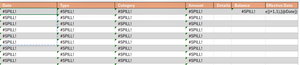
Hi everyone! I need help with a project that I'm creating. Im making use of Microsoft Forms in order to input certain information. I made use of branching since some answers depend on the previous choice. So moving on to my problem, I want my table2 to get the responses/data from the data table created by the forms. Table 2 Table of responses For reference for the spill error, here is the formula that I used. Any insights will help a lot. Thank you have a great day everyone.67Views0likes2CommentsNon-Consecutive Cell Referencing
Hi, folks. I'm attempting to create a spreadsheet that contains links from consecutive cells to consecutive cells in another worksheet that are separated by 5 intervening cells. I'll call the original consecutive spreadsheet "Orig" (for original). So, I know that if I put "='Orig'!A3" in cell B3 and then copy that down, it will update the relative formula consecutively, i.e. B3='Orig'!A3, B4='Orig'!A4, B5='Orig'!A5, B6='Orig'!A6.... that much I get. What I need to do is find a way to do the same thing, but to increase the resulting link.....so that if I copied the formula down column B I would get: B3='Orig'!A3, B8=Orig'!A4, B13='Orig'!A6', etc so that the new worksheet is moving down 5 cells relative to the Orig sheet consecutive order. I've read where someone used a formula using the INDIRECT function but that's beyond my beginner level. Many thanks, and merry Xmas to all!Solved234Views0likes17CommentsUsing a combination of IF Statement and LET function
Hello, I am trying to do the following from the attached link: If the Fiscal period date in Col B (of the SORTED_INV_CN worksheet) is greater than/equal to Dec 2025 or less than April 2025 then type in "Ignore" Else, use the LET function to lookup by Invoice# in the LookUp-Comment worksheet However, the function in Cell D2 of the SORTED_INV_CN worksheet is returning "Ignore" for all the rows in Column D. At the end of the day, I am required to evaluate the xlookup function for date range less than Dec 2025 and April 2025. I am partial to the LET function as it reduces the need to add a 2nd xlookup formula. The LET function works without the parent IF function but is returning erroneous data as soon as I incorporate the IF(OR( function. Here is the link to the file: https://docs.google.com/spreadsheets/d/1oiWWXXOSorZuB5Q4vzgdHO_kyRkvGE3L/edit?usp=drive_link&ouid=103354753371375324640&rtpof=true&sd=true I think the problem lies in the way the date format is being interpreted between the evaluation cells. Hope you can point me in the right direction. Thank you. Regards, Shams.47Views0likes2Comments
Sheet View Issues with Excel Web Browser
Hi, I have created a Excel document for my department to use, I tried Excel App but due to the size of the Spreadsheet it kept freezing, as a result I switched it to use Excel through Web Browser. The sheet no longer freezes which is good. I do have another issue though.....I wanted multiple users to be able to access, edit the sheet at the same time so I did some research and Sheet View seemed to be the way forward. I created a Sheet view for each employee to use so when you go to View, Sheet View and click on the relevant person their work is updated, saved etc and this shouldn't affect others view. This is working in terms of people editing. The main issue now though is that despite following advice sometimes when someone changes a filter on their own sheet view it seems to change others view. My understanding was you can hide, filter etc within your own Sheet view but this doesn't seem to be the case.......PLEASE HELP!!!! My excel and computer Skills aren't excellent to please any simple advise would be great.208Views0likes4Comments