Containers
118 TopicsHow to Install WSL 2 on Windows Server
A couple of months ago Microsoft announced the Windows Subsystem for Linux 2 (WSL 2), which is a successor of the Windows Subsytem for Linux shipped a couple of years ago. WSL 2 is currently available for Windows Insiders running Windows 10 Insider Preview Build 18917 or higher and with the Docker Tech Preview, you can now even run Docker Linux Container directly on WSL 2. With the latest Windows Server Insider Preview build 18945, you are also able to run WSL 2 on Windows Server. In this blog post, I am going to show you how you can install the Windows Subsystem for Linux 2 (WSL 2) on Windows Server. The Windows Subsystem for Linux was already available in earlier versions of Windows Server; however, WSL 2 brings a lot of new advantages. Read more here: https://www.thomasmaurer.ch/2019/08/how-to-install-wsl-2-on-windows-server/43KViews3likes1CommentUpdates to the Windows Container Runtime support
Over the next year, Microsoft will transition support for the Mirantis Container Runtime (previously known as Docker Engine – Enterprise) to Mirantis support services. Windows Server containers will continue to function regardless of the runtime. The difference will be the coordination of associated technical support previously provided by Microsoft and Mirantis. The Mirantis Container Runtime will continue to be available from and supported by Mirantis. For more information, see Mirantis’s blog here.37KViews4likes2Comments
How to see who is a member of schema admin and how to add a member in
Hi All, Im currently trying to install Sccm and need to link my SCCM server to DC but due to me getting the below error I cant go any further. Im currently on the Administrator account but it seems that I still need to put this account in the Schema admin group. I cant seem to access this group I cant see it in Users or anywhere - When I search for the account I have to search the Entire directory but then cant access the properties? How do I add a user or even the admin account into this group so I can carry on doing the necessary step to install SCCM? I get this message Please help! and thanks in advance!34KViews0likes12Comments
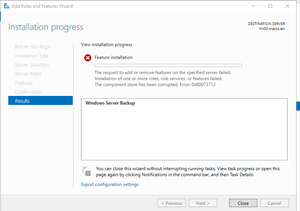
Windows Server 2019: The component store has been corrupted. Error 0x80073712
Hi all, I'm trying to install the Server Backup feature on our 2019 Server, but it results in this error: Any ideas on what may have caused this, and how to solve it? The server was installed about 5 months ago, and the installation is basically stock, not much changes made. Thanks in advance.34KViews1like12Comments
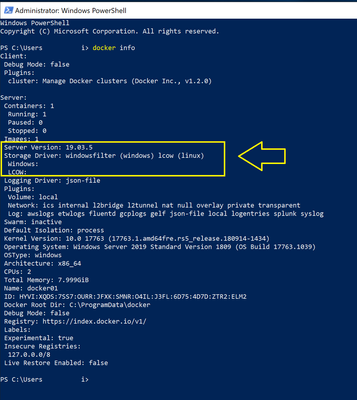
How to run docker on Windows Server 2022 Preview?
Hello, I installed Windows Server 2022 Preview Build 20298, and it does not seem to include the docker command. I would like to run "docker build" and "docker run" from PowerShell, but I get the error: "The term 'docker is not recognized...". Does anyone know how to install the docker command on Windows Server 2022 Preview? Thanks, Tony29KViews0likes7Comments