User Profile

CIndelwood
Copper Contributor
Joined Feb 19, 2021


User Widgets
Recent Discussions
Re: Update existing list column with content type - missing action in Settings > List Content Type
Hello DaveMehr365, Many thanks for taking the time to spell it out for me. I was able to follow your steps and successfully add some columns to read-only content type, however I wasn't able to add others that I really need read-only. May I ask for your help on this last part? I have List B with a lookup column pointed at list A called 'ACTIVITY'. I have four additional columns pulling in from 'ACTIVITY'. All the columns in list A are single-line text. For many weeks the additional columns were read-only in list B (as expected/desired), however, somewhere along the way, they became editable, which is causing users to go in and make selections they shouldn't be, resulting in a record entry error. I'm assuming I couldn't add these columns to the content type because they are based off a lookup. I've searched everywhere to see how I could possibly lock these fields once they are pulled in from list A, however, nothing has worked. Any suggestions? Your help is very much appreciated. Kind regards, Candace2KViews0likes1CommentUpdate existing list column with content type - missing action in Settings > List Content Type
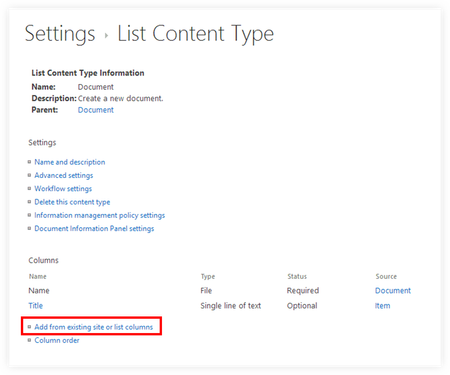
Hello, I am trying to update existing columns to read-only using a content type, however, when I get to the Settings > List Content Type there is no action available. To the best of my knowledge, I have read all the documentation provided by Microsoft and have checked all other settings at the site and list level. Expected Result Actual Result No topics here or on google come close to matching - I am at a loss of what to do next. Any help would be much appreciated. Thanks, Candace2.3KViews0likes5CommentsAssign Form when New List Item Created
Hello! I'm trying to create a flow that assigns a form to a user when a new item is added to a list. I then want the completed form submitted for approval once all required inputs have been entered. I'm struggling to get past the first part, as I am new to SharePoint and struggling with form creation using power app. I found a template in flow that looks to be exactly what I need, however, it requires a connection to Elastic, which we do not have. Any help would be greatly appreciated!!
Recent Blog Articles
No content to show