User Profile

Rajeev_Raghavan
Copper Contributor
Joined Dec 09, 2019


User Widgets
Recent Discussions
copy and paste find all rows through vba. is it possible via macros?
Option Explicit Sub Test() Dim foundRng As Range Sheets("Sheet1").Select Set foundRng = Range("A1").CurrentRegion.Find("*Cable*", LookIn:=xlFormulas) foundRng.Rows("1:1").EntireRow.Select Selection.Copy Sheets("Sheet2").Activate Range("A" & Rows.Count).End(xlUp).Offset(1).Select ActiveSheet.Paste End Sub637Views0likes0CommentsPrint data to multiple files
Sub datatobat() Dim ws As Worksheet Set ws = ActiveSheet Open "C:\Users\jeevan\Desktop\move.bat" For Output As 1 Range(ActiveCell, ActiveCell.End(xlDown)).Select Do Until ActiveCell.Value = "" Print #1, ActiveCell.Value ActiveCell.Offset(1, 0).Select Loop Close (1) End Sub This is working very well, but at the same time I need to transfer the data from the third ("C") column in to "C:\Users\jeevan\Desktop\return.bat" file326Views0likes0CommentsMacro Not working
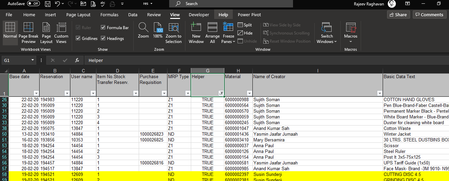
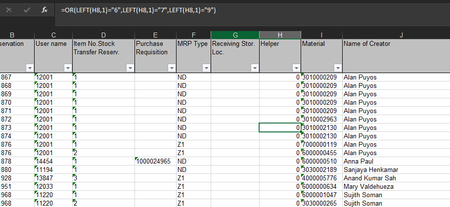
Macro not working after the red line. Sub Res2PR() ' ' Res2PR Macro ' Res for PR ' ' Keyboard Shortcut: Ctrl+Shift+R ' Workbooks.Open "C:\Users\rajeev.raghavan\Desktop\data\res.XLSX" Cells.Select With Selection .VerticalAlignment = xlTop .WrapText = True .Orientation = 0 .AddIndent = False .IndentLevel = 0 .ShrinkToFit = False .ReadingOrder = xlContext .MergeCells = False End With With Selection .VerticalAlignment = xlTop .WrapText = False .Orientation = 0 .AddIndent = False .IndentLevel = 0 .ShrinkToFit = False .ReadingOrder = xlContext .MergeCells = False End With Range("G1").Select ActiveCell.FormulaR1C1 = "Helper" Range("G2").Select ActiveCell.FormulaR1C1 = _ "=OR(LEFT(RC[1],1)=""6"",LEFT(RC[1],1)=""7"",LEFT(RC[1],1)=""9"")" Range("G2").Select Selection.AutoFill Destination:=Range("G2:G1803") Range("G2:G1803").Select ActiveWindow.SmallScroll Down:=-30 Range("A2").Select Range(Selection, Selection.End(xlDown)).Select Range(Selection, Selection.End(xlToRight)).Select Selection.FormatConditions.Add Type:=xlExpression, Formula1:= _ "=SEARCH(""Petty"",$AC2)" Selection.FormatConditions(Selection.FormatConditions.Count).SetFirstPriority With Selection.FormatConditions(1).Interior .PatternColorIndex = xlAutomatic .Color = 65535 .TintAndShade = 0 End With Selection.FormatConditions(1).StopIfTrue = False ActiveWindow.SmallScroll ToRight:=1 Range("AZ1").Select ActiveWindow.SmallScroll Down:=-12 Range("G1").Select Selection.AutoFilter ActiveSheet.Range("$A$1:$AY$1803").AutoFilter Field:=7, Criteria1:="TRUE" ActiveSheet.Range("$A$1:$AY$1803").AutoFilter Field:=8, Operator:= _ xlFilterNoFill ActiveWindow.SmallScroll Down:=-6 ActiveSheet.Range("$A$1:$AY$1803").AutoFilter Field:=6, Criteria1:="ND" ActiveWindow.SmallScroll Down:=-48 ActiveSheet.Range("$A$1:$AY$1803").AutoFilter Field:=5, Criteria1:="=" ActiveWindow.SmallScroll Down:=-114 Range("A1:AY1803").Select Selection.Copy Sheets.Add After:=ActiveSheet ActiveSheet.Paste Columns("I:I").ColumnWidth = 19.14 Columns("I:I").ColumnWidth = 21.29 Columns("J:J").ColumnWidth = 26.57 Columns("J:J").ColumnWidth = 36 Columns("F:F").ColumnWidth = 4.57 Columns("D:D").ColumnWidth = 4.29 Columns("C:C").ColumnWidth = 5.86 Columns("B:B").ColumnWidth = 6.14 Range("A1").Select Columns("H:H").ColumnWidth = 10.43 ActiveWindow.SmallScroll Down:=-24 Range("A1").Select Sheets("Sheet1").Select Range("A1").Select Range("A1").Select Application.CutCopyMode = False ActiveCell.FormulaR1C1 = "Base date" Range("A1").Select Selection.AutoFilter End SubSolved1.2KViews0likes4Comments- 22KViews0likes4Comments

Recent Blog Articles
No content to show