User Profile

catmanjan2010
Brass Contributor
Joined Oct 17, 2022


User Widgets
Recent Discussions
Is Microsoft Search meant to still be available in Office apps?
According to https://learn.microsoft.com/en-us/microsoftsearch/overview-microsoft-search The first picture under the heading What users see, and the description, imply that users are meant to be able to use Microsoft Search from within Office apps, however, at least in 2 of our tenants, it appears to now just search within the document. Is this a bug? https://learn.microsoft.com/en-us/answers/questions/2235978/is-microsoft-search-meant-to-still-be-available-in211Views0likes2CommentsRe: Is there any capability for Microsoft Purview to interact with external items?
Thanks, just to confirm, is it the "externalItem" object itself that is subject to retention policy, not the actual source document? Could you possibly expand on what you mean by DLP and sensitivity labels being an afterthought? Do you just mean that DLPs and sensitivty labels could be applied on the source documents?100Views0likes1CommentIs there any capability for Microsoft Purview to interact with external items?
I refer to external items, the M365 concept of items ingested by a Microsoft Graph connector: https://learn.microsoft.com/en-us/graph/api/resources/externalconnectors-externalitem?view=graph-rest-1.0 Is there any way for Microsoft Purview to interact with these items? I am particularly interested if there is anything related to DSPM and external items.162Views0likes3CommentsIntranetFileLinksEnabled does not work with shared file links
I refer to this setting https://learn.microsoft.com/en-us/DeployEdge/microsoft-edge-policies#intranetfilelinksenabled Which allows links to local file resources using the file:// protocol It works as expected if the file is on the local computer, e.g. C:/file/example.txt but if the file is in a shared location, Edge strips the preceeding slashes and cannot find the file, e.g. <a href="file:////share/file/example.txt">link</a> If you click on the link above, edge will try to go to share/file/example.txt instead of //share/file/example.txt - we need it to go to the second location as this is a valid file share location539Views0likes0CommentsWhen editing and closing a PDF the user should be prompted to save and close changes
All editing software does this, when the user closes the software they should be prompted to save their changes. Instead, Microsoft Edge will warn the user that their changes will not be saved, instead of giving them the option up front to save changes.210Views0likes0CommentsContinous deployment to Azure container registry is very very slow
How have other people solved this problem? We have a solution with 10 or so projects, each which publishes a container to our Azure container registry It takes around 15 minutes to build and publish each project, most of the time is spent pulling container images and uploading them to Azure container registry This is awful, and a real step backwards from our previous process.1KViews1like2CommentsRe: Teams command bar integration bot shows See More and See Less button for no reason
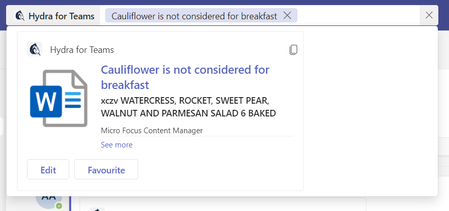
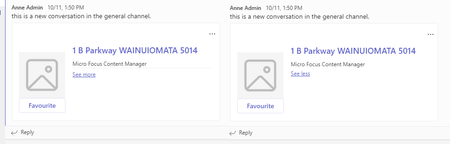
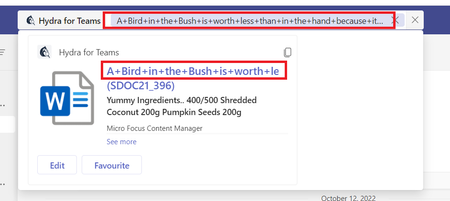
Nivedipa-MSFT Here is a screenshot of what I see, I am not sure what element is causing it but its definitely happening The only difference I see between mine and yours is my add in name appears in my card, I have a custom size image and buttons var attachments = response.Results.Select(result => { var buttons = new List<CardAction>(); var titleString = result.Title?.Raw; // check for links if (!string.IsNullOrEmpty(result.Extension?.Raw)) { var protocol = result.Extension.Raw.ToOfficeProtocol(); if (!string.IsNullOrEmpty(result.EditUrl?.Raw) && !string.IsNullOrEmpty(protocol)) { buttons.Add(new CardAction( "openUrl", "Edit", image: $"{_hydraUri}/icon/{result.Icon.Raw}", value: $"{_teamsBotUri}/launch.html?link=")); } } buttons.Add(new CardAction("openUrl", "Manage", value: $"{_teamsBotUri}/Manage")); if (!string.IsNullOrEmpty(result.Url.Raw)) { titleString = $"<a href='{result.Url.Raw}'>{titleString}</a>"; } var imageType = "FOLDER"; if (result.Icon != null) { imageType = result.Icon.Raw; } var card = new ThumbnailCard { Title = titleString, Subtitle = result.Body?.Snippet, Text = result.Metadata?.ContentSourceId, Images = new List<CardImage> { new CardImage { Url = $"{_hydraUri}/icon/{imageType}" } }, Buttons = buttons }; var attachment = new MessagingExtensionAttachment { ContentType = ThumbnailCard.ContentType, Content = card, Preview = card.ToAttachment() }; return attachment; }); return new MessagingExtensionResponse { ComposeExtension = new MessagingExtensionResult { Type = "result", AttachmentLayout = "list", Attachments = attachments.ToList() } };2.5KViews0likes6CommentsRe: Teams command bar integration bot shows See More and See Less button for no reason
Nivedipa-MSFT this is the guide I followed https://learn.microsoft.com/en-us/microsoftteams/platform/messaging-extensions/how-to/search-commands/respond-to-search?tabs=dotnet Here is the source code sample https://github.com/microsoft/BotBuilder-Samples/blob/main/samples/csharp_dotnetcore/50.teams-messaging-extensions-search/Bots/TeamsMessagingExtensionsSearchBot.cs2.8KViews0likes12CommentsRe: Teams command bar integration bot shows See More and See Less button for no reason
Nivedipa-MSFT develop a command bar integration which returns the following card var card = new ThumbnailCard { Title = "title", Subtitle = "subtitle", Text = "text", Images = new List<CardImage> { new CardImage { Url = $"someimagehere" } } }; return new MessagingExtensionResponse { ComposeExtension = new MessagingExtensionResult { Type = "result", AttachmentLayout = "list", Attachments = new[] { new MessagingExtensionAttachment { ContentType = ThumbnailCard.ContentType, Content = card, Preview = card.ToAttachment() } } } }; no matter how long the strings you provide are the see more/see less buttons appear2.8KViews0likes14Comments
Recent Blog Articles
No content to show