User Profile

PaulSinnema
Copper Contributor
Joined Sep 12, 2022


User Widgets
Recent Discussions
Authentication of office applications fails continuously
I agree although sad that authentication and security are necessary always these days. The implementation Microsoft uses is however very annoying to say the least. On a daily basis I have to enter credentials and do MFA too often. And very often it doesn't even work. I get a box to enter credentials and a message on my phone to allow the authentication. Then a box appear with a throbber and sometime it works and sometimes it doesn't and I have to do authentication all over again. I'm a developer and use Visual Studio Pro 2022 too. It always shows the boxes for authentication and after clicking 'Work account' the box hangs there for a few minutes and disappears to appear again on the next start of VS2022. It's a mess. I've tried many things including removing all credentials from the credential manager, deleting accounts and signing in again, etc. but somehow It just keep cropping up.WPF Application for sharing part of the screen with Teams works nice but menus are empty boxes
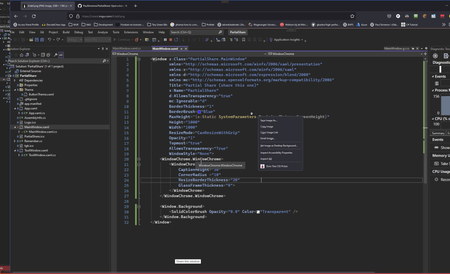
I've written a small application in WPF that shows 2 windows. One, which is basically a transparent window with no borders, for sharing a part of my screenin MS Teams and one with some resizing options. I have a very big screen on my PC and when I share my desktop I see all participants starting to move closer to their screen because the image is sized down to their screen and makes it very hard to read. I've seen several application solving this problem but most of them are a bit cumbersome. I'm a developer so I though: "I can do that too". Now when I share my partial window everything works fine but.... when I f.i. right click somewhere to call the context menu, I see the menu perfectly but on the shared screens a box with no content appears. This is probably a tough one but who can tell me what to do. Here's the mainpage.xaml: <Window x:Class="PartialShare.MainWindow" xmlns="http://schemas.microsoft.com/winfx/2006/xaml/presentation" xmlns:x="http://schemas.microsoft.com/winfx/2006/xaml" xmlns:d="http://schemas.microsoft.com/expression/blend/2008" xmlns:mc="http://schemas.openxmlformats.org/markup-compatibility/2006" Title="Partial Share (share this one)" x:Name="PartialShare" d:AllowsTransparency="true" mc:Ignorable="d" BorderThickness="1" BorderBrush="Blue" MaxHeight="{x:Static SystemParameters.MaximizedPrimaryScreenHeight}" Height="1000" Width="1000" ResizeMode="CanResizeWithGrip" Opacity="1" Topmost="true" AllowsTransparency="True" WindowStyle="None"> <WindowChrome.WindowChrome> <WindowChrome CaptionHeight="30" CornerRadius ="10" ResizeBorderThickness="20" GlassFrameThickness="0"> </WindowChrome> </WindowChrome.WindowChrome> <Window.Background> <SolidColorBrush Opacity="0.0" Color="Transparent" /> </Window.Background> </Window> The project is open source on GitHub. You can download it here: https://github.com/PaulSinnema/PartialShare1.8KViews0likes1Comment
Recent Blog Articles
No content to show