User Profile

psawyer
Iron Contributor
Joined Feb 15, 2022


User Widgets
Recent Discussions
Microsoft where is the love for my Custom/non-default environment?
Like a lot of customers I have a custom environment for planner. I feel like a second class citizen when so many updates are for the default environment. Has anyone heard any news about advancements in a non-default environment. Specifically a way to get all tasks in one place for all resources?62Views4likes0CommentsRe: Unable to see tasks assigned to me in Planner Premium in the "My Tasks" Teams tab
I was told that this isn't happening this year, I have doubts it will ever happen. The default and non-default environment differences are very annoying. I wonder if the tool will just be forgotten by Microsoft. What you can do is create a report for all the tasks.43Views0likes0CommentsRe: Crews in Planner in Planner/Project accelerator
I would like to thank everyone for their replies. Unfortunately I need a system with a central database like Planner, so the desktop client is out, and with the recent news about Project Online that is out too. I appreciate everyone's responses here.63Views0likes0CommentsCrews in Planner in Planner/Project accelerator
I am trying to have a task in Planner/Project accelerator assigned to a crew. I would like the crew to be multiple people lets say 3 people. Can I then have the task assigned to this crew resource and calculate the effort X3?Solved183Views1like4CommentsRe: Project for Web
To follow up with Dale's comments he is saying a capital G Group which would be created during the creation of a Team. In my implementation I have a Team for each project, this then creates a group that I can use to provision access. Access is then managed by the Team. It makes it easy for the PM's to manage access.374Views0likes0CommentsRe: Customizing the PftW Accelerator
You would want to create a new solution, then you modify the solution. The github site has some details on it. https://github.com/OfficeDev/Project-Accelerator Its basically powerapps/dynamics so if you know someone who works with that tool they could help.490Views0likes1CommentRe: Project for the Web - how to prevent Assign Project Task to Contact or Account from Power App?
RodFromm Microsoft support for Project is pathetic. I have been working on stuff with them for months. Seriously their support is so bad I don't have words for how bad but I will try. Microsoft outsourced their support to a team who doesn't understand the product, then they pass the ticket around to avoid having to work on it. As far as your access question. Yes. You can restrict or add access for parts on the entire project environment, or individual projects. The security works identically to how Dynamics works so that documentation is valid. The only thing you cannot do is get the "Limited" access function which was introduced last month. But you can get everything else.448Views1like0CommentsRe: Project for the Web - how to prevent Assign Project Task to Contact or Account from Power App?
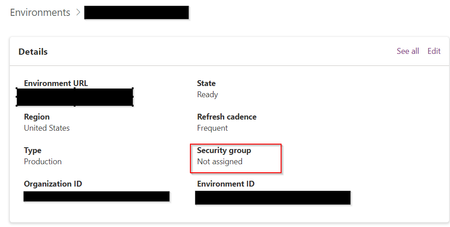
Sure. Microsoft support for Project is an embarrassment. You need to be running in a non-default environment. Then you need a group for all the employees you want to assign tasks to. So if you have a group to separate out internal vs external users use that. Then from this page https://admin.powerplatform.microsoft.com/ you add in the security group for who can access the environment. I had the opposite problem. When I created the environment I put a security group in, and I couldn't assign tasks t anyone outside that group. So I removed the security group, and when that happened I could assign tasks to all users in my org. There is a microsoft article on it. You have to use a non-default environment which has a couple limitations, but the reporting and ability to customize the environment is worth it IMHO. If you need more info let me know.555Views0likes6CommentsRe: Project for the Web - how to prevent Assign Project Task to Contact or Account from Power App?
If you are in a non-default environment then you can limit access to the application on the powerapps admin side. You can limit access to a specific group of users, those users would be the only users who would show up, except any manually created contacts.617Views0likes8Comments
Recent Blog Articles
No content to show