User Profile

Malatheon
Iron Contributor
Joined Nov 11, 2021


User Widgets
Recent Discussions
- 1.8KViews0likes0Comments
Re: Lining numbers do not work for Footnote reference style
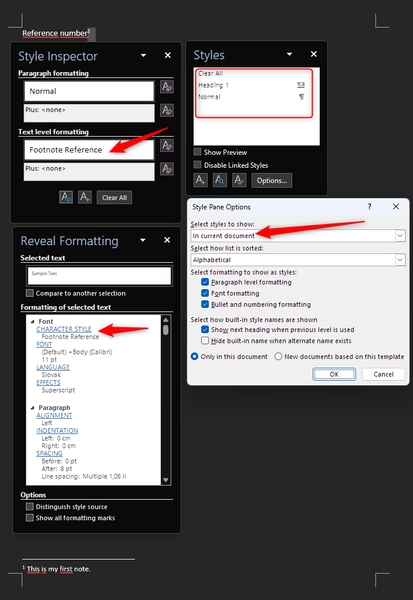
Hi, Lenka_Kerumova, thanks for looking into it and thanks for pointing me to the Manage styles section. The point that I am trying to make regarding the number 2 is, that even though the style is used and reported as such in the Style inspector, the Style list does not show it despite set to show Styles in the current document (or Styles in use), the style is not listed in both cases (you can see it in the attached picture, sorry about the dark mode). To the point number one - what is the best way to submit a ticked with MS (in this case)? Thank you very much, Milan1.8KViews0likes0CommentsRe: Lining numbers do not work for Footnote reference style
Hi Doug_Robbins_Word_MVP , thanks for the reply. No, those are all footnotes, lining numbers are an OpenType feature that one can set in the Font properties dialogue. The style Word is using for these in case of footnotes is called Footnote Reference and it is a character style (not paragraph style). There are two problems with this style. Besides ignoring the Number forms setting in the Font - Advanced tab, the other problem is that this style does not show in the list of styles when Footnotes are applied regardless if I choose Styles to show either In use or In current document. I have to select show All styles in order for it to appear. However, other settings, such as Font, size, font style or color are all honored, only OpenType features are ignored (but are honor in all other styles including Footnote style, just not in Footnote Reference style).1.9KViews0likes4CommentsLining numbers do not work for Footnote reference style
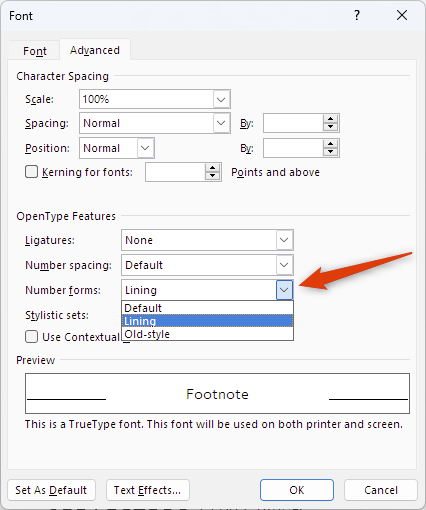
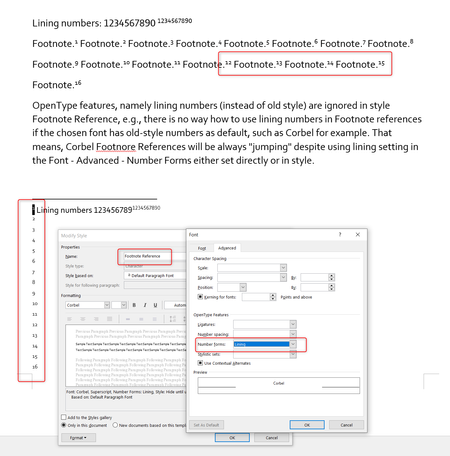
OpenType features, namely lining numbers (instead of old style) are ignored in style Footnote Reference, e.g., there is no way how to use lining numbers in Footnote references if the chosen font has old-style numbers as default, such as Corbel for example. Anybody else encountered this? I could get it fixed only by switching the Footnote Reference font to something else... Here is a link to the document: https://liveuniba-my.sharepoint.com/:w:/g/personal/regec1_uniba_sk/Ed-j3ZGv9OVEgBDJ3uJfhDcBQ8K4OL_EsUuajksddUmdzw?e=xYvjxG2.1KViews0likes6CommentsRe: Computer Advice
Yes, 16 or 32 GB of RAM can be actually put into good use in your use case, also anything Core i5 or Ryzen 5 and not bellow. GPU does not matter for you as long as the CPU is recent. 1600 pages is a lot, anything over 150 pages with images in Word can be a pain to work with regardless of the system. For technical manuals, maybe good ol Framemaker should be a way to go...695Views0likes0CommentsRe: Word Styles panel blank
Hi, rmangabeira, I have reported the issue to the Feedback hub and via Feedback in Word. For me, it is still persisting and in the feedback hub it got zero likes or comments from other users. I have also tried quick and online repair without any success.3.1KViews0likes4CommentsWord Styles panel blank
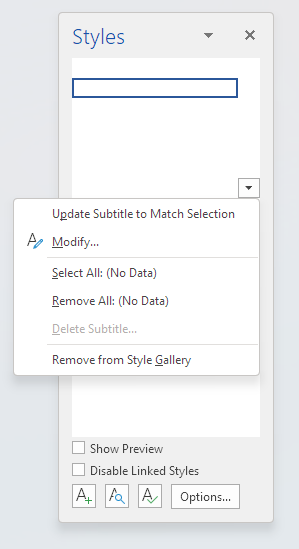
Hi, my Styles pane (not gallery) is somehow blank. All Styles are there, I can even click them - however all I see is blank space and empty boxes. This in both cases with Show preview enabled or disabled. I have tried Safe mode but result is the same. Microsoft® Word for Microsoft 365 MSO (Version 2206 Build 16.0.15227.20000) 64-bit Microsoft Windows 22H2 Build 22616.1 Any suggestions what should I try to mitigate the problem? Thank you! 🙏🏼Solved3.7KViews0likes10CommentsRe: Keep with next - if the next text is table does not work anymore
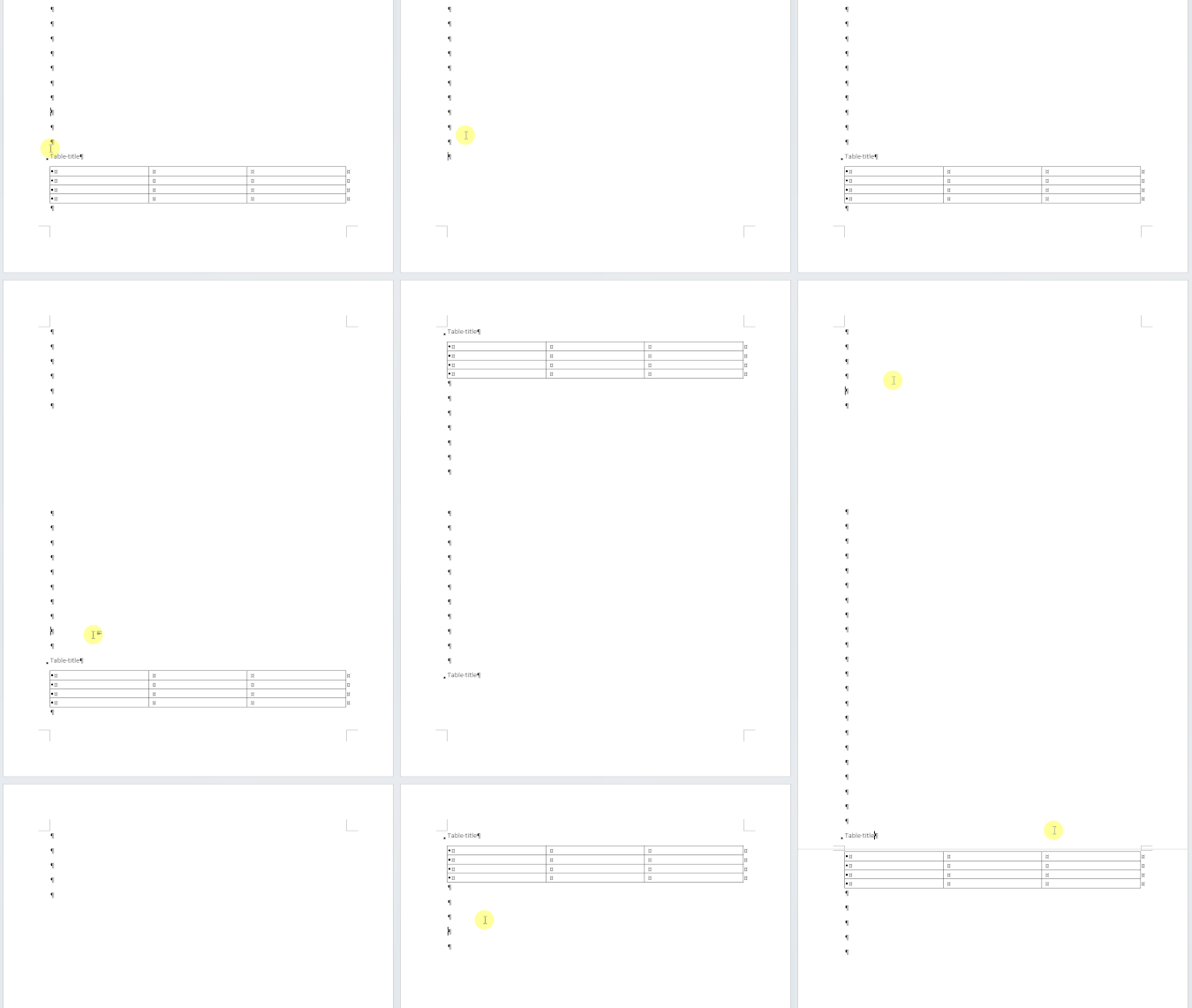
Stefan_Blom https://liveuniba-my.sharepoint.com/:w:/g/personal/regec1_uniba_sk/EVbRmObInqFPnk3iy2BhhrIBxOifVVbsVuNh89rR7-BX-Q?e=vPbdbP Interestingly, in the online version of Word the Table title is shown on the second page, whereas at the same time, on the desktop version it is at the bottom of the first page. I have also created another video showing the strange behaviour, adding only gif this time, should be enough. That the Table title appears twice is not a video glitch, it really does happen.8.6KViews0likes9CommentsRe: Keep with next - if the next text is table does not work anymore
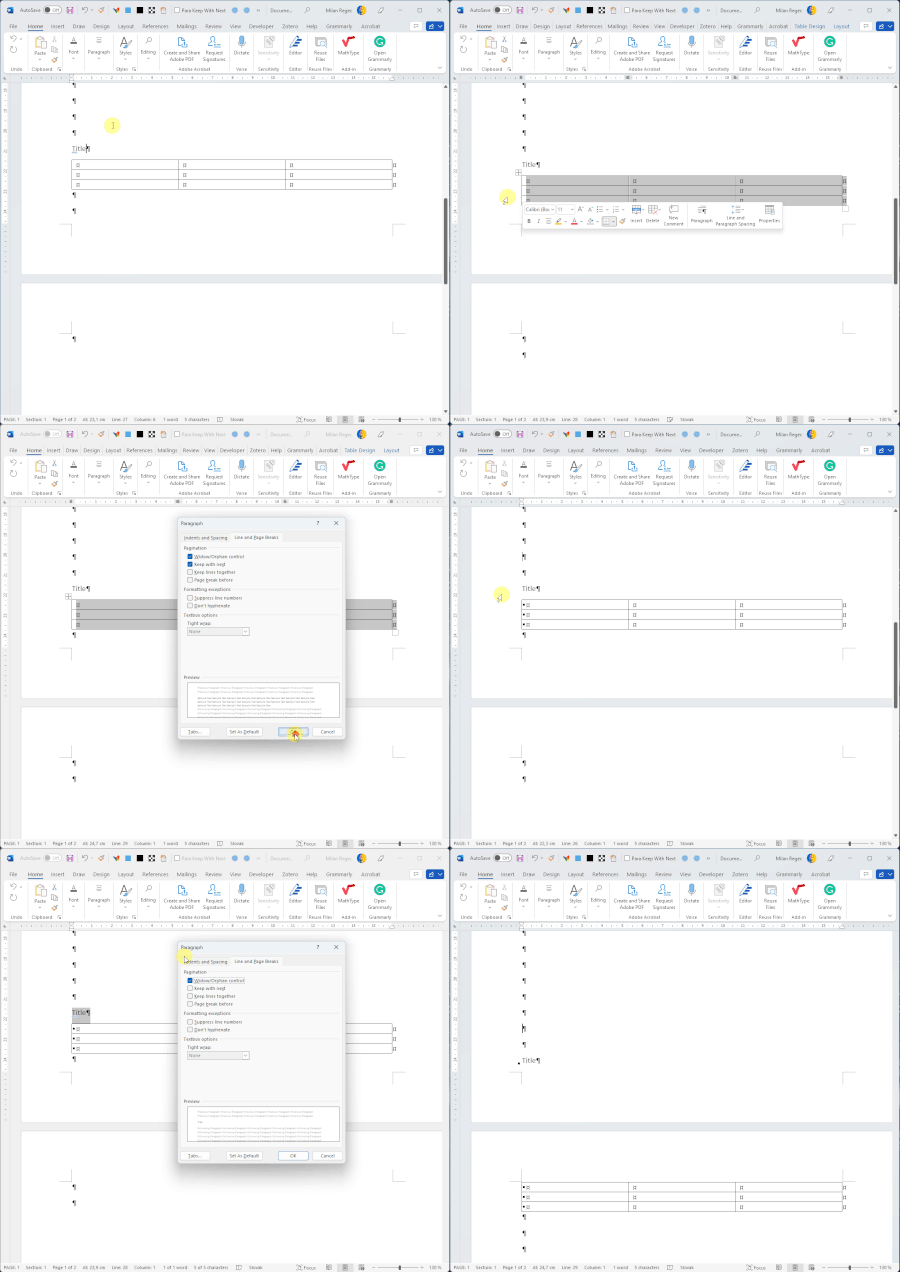
Stefan_Blom OK, so I re-did the test under Windows 11 (22H2 22579.1) and the "keep with next" functionality is indeed broken. Here is a short clip demonstrating the issue. The table sticks together nicely, but the title does not. (on the link the clip is not compressed to heavily like on the gif below). https://www.screenpresso.com/=a1Otd8.7KViews0likes11CommentsRe: Keep with next - if the next text is table does not work anymore
Hi Stefan, thanks for chipping in. I looked into it again on another machine - somehow it started working with no apparent reason. I will try with Windows 11 later today. At this moment, it started working as expected, go figure.8.9KViews0likes1CommentKeep with next - if the next text is table does not work anymore
Hi, I ran into an issue, where it does not seem to be possible to keep title (single line of text) with the following table. My table title has a separate style attached to it that uses "Keep with next". This works perfectly if the following is another paragraph. But if what follows is the table, keep with next is not honored anymore. (Microsoft Word version 2202 on Windows x64). Has anybody else ran into this? Also, when using print preview - the layout somewhat breaks as if Word was trying to honor keep with next and it just keeps jumping back and forth. I can provide more info and pics if it could be of any help. Thanks for any hints!Solved9.6KViews0likes15Comments
Recent Blog Articles
No content to show