User Profile

ConstantinLotz
Copper Contributor
Joined Sep 02, 2021


User Widgets
Recent Discussions
Managed Google Play does not show all assigned Apps (Long sync issue?)
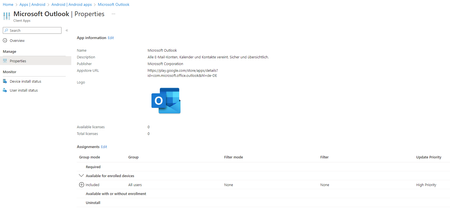
Hi there, i've the problem that I'd uninstalled the outlook app as it was assigned as "Required". It looks like that I can remove required apps, but do not see them in the google play store (work profile) which is very bad. After 6 hours(!) the App install Status for Outlook in the Intune Admin Center was still "Installed". I'd pressed a lot of times the sync button and everythings looks fine there - but the status was wrong. After I switched the assignment to "Uninstall" after 30 mins the status went now correctly to "Not installed". So now I want to install back the Outlook app from the play store. So it is assigned: But in thegoogle play store of the work profile the Outlook app does not appear even after 6 hours ago. I've heard from a sync interval from 8hours for new assignments (https://learn.microsoft.com/en-us/mem/intune/configuration/device-profile-troubleshoot) which is total horrible. Can anybody say or confirm that assignment of apps to managed google play does always that long? Kind regards, Constantin1.8KViews0likes1CommentRe: Site Columns created by PNP Powershell not showing up in Highlighted Content Webpart
Hi Sven, your are my man! It seems the highlighted content webpart does just not allow to select for multiuser. Because it was the first field I've not tried to create other types. But for example with Choice Fields it seems working 🙂 Thanks a lot for getting my mind clear! Kind regards, Constantin1.7KViews0likes1CommentSite Columns created by PNP Powershell not showing up in Highlighted Content Webpart
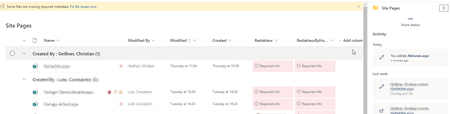
Hi there, i'm getting stuck in creating some custom colums for the "Site Pages" library - to deploy some colums automatically. I can create collumns by pnp like this: $siteurl = "https://domain.sharepoint.com/sites/2501" Connect-PnPOnline -Url $SiteURL -Interactive $SitePagesList = Get-PNPList |? { $_.Title -eq "Websiteseiten" -or $_.Title -eq "SitePages" } $DisplayName = "Redakteur2" $PNPField = Add-PnPField -List $SitePagesList -InternalName $DisplayName -DisplayName $DisplayName -Type User -AddToDefaultView -Required -AddToAllContentTypes [XML]$SchemaXml = $PNPField.SchemaXml $SchemaXml.Field.SetAttribute("Mult","TRUE") $SchemaXml.Field.SetAttribute("UserDisplayOptions","NamePhoto") $OuterXML = $SchemaXml.OuterXml.Replace('Field Type="User"','Field Type="UserMulti"') Set-PnPField -List $SitePagesList -Identity $PNPField.Id -Values @{SchemaXml =$OuterXML} -UpdateExistingLists They show up correctly under site pages: But I cant select the column Redakteur in the Webpart "Highlighted Content": In the webpart only from hand created properties show up. Am i wrong here somehow? If I compare the ouput of both fields from: Get-PnPField -List $SitePagesList -Identity "XXXXXXX-be4a-429b-9b2a-6207e7f85535" | fl * I dont see a big difference. I've aswell tried creating the field and setting the difference options like UserSelectionMode. But this didn't make a difference. Does anybody out there has an idea what is wrog here? Or otherwise how I can deploy some custom colums for the existing site pages library? I've tried this aswell with the command below, but this creates me a new Page Library with the same name. Seems a bug in PNP Powershell.... $siteScript = .... "verb": "createSPList", "listName": "Site Pages", "templateType": 119, "subactions": [ { "displayName": "Redakteur", "isRequired": true, "addToDefaultView": false, "fieldType": "User", "enforceUnique": false, "verb": "addSPField" }, ..... Invoke-PnPSiteScript -WebUrl $siteurl -Script $siteScript Kind regards, ConstantinSolved1.9KViews0likes3Comments
Recent Blog Articles
No content to show