Forum Discussion

MTSBob
Jan 08, 2020Steel Contributor
Teams Polls - Where are the results (by name of respondent)?
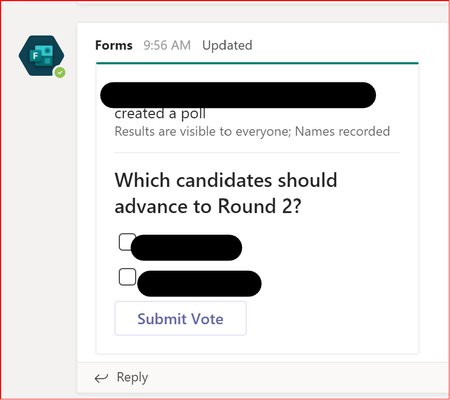
I've created a Poll (via Forms) as a post in a channel for my Team. The card created for the poll states, "Results are visible to everyone; Names recorded", however, I cannot for the life of me figur...
 Feb 17, 2021
I had also been looking all over for my poll/forms.
Found it here by clicking on 'All My Forms'

Jan 08, 2020
You could probably add a forms tab to the channel with the results from the form as you would going to forms site directly if you wanted to technically keep it in Teams.

MTSBob
Jan 08, 2020Steel Contributor
ChrisWebbTech I neglected to mention that we're using Forms Pro.
Of course, attempting to add a Tab was one of many things I tried. And the list of "Add an existing form" when attempting to do so doesn't include the Form/Poll in question. Perhaps yet another gaping hole in the Forms Pro vs. Forms use case via Teams - so many things seem to break for us when we use Forms Pro from Teams, though I haven't tried doing this with a regular Forms license either.
- Jan 08, 2020Yeah, I haven't bothered with Forms Pro so don't know much about the quirks with it yet. At least you were able to get to it via web!