Forum Discussion

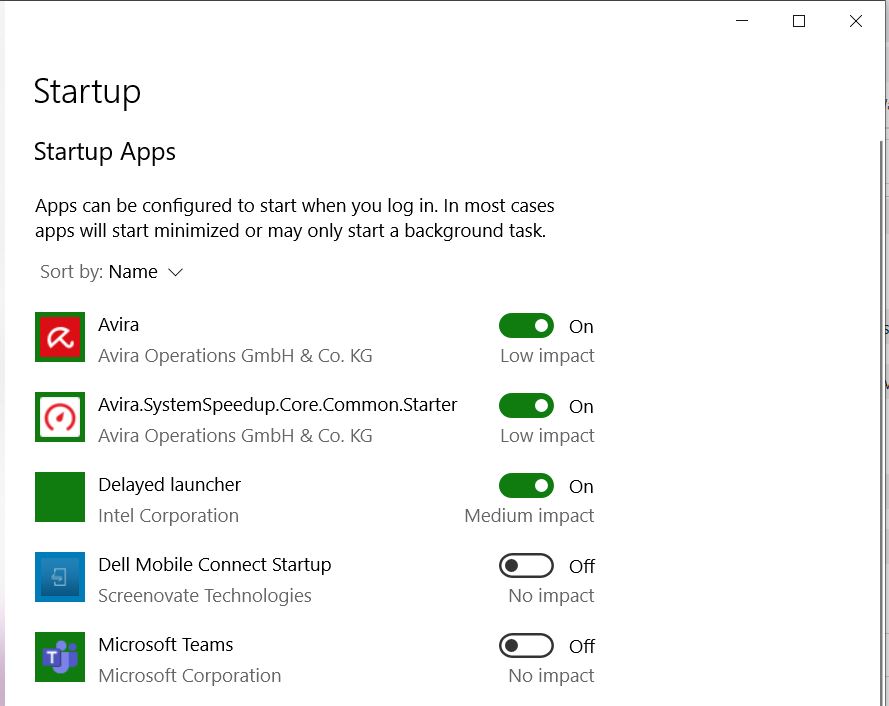
Teams auto starts DESPITE disabling it


Jule_Marie Hello again, I know that it's frustrating as the key needs to be deleted with a script. To prevent the behavior there's a GPO you can use and it has to be created before Teams is installed. But once you've started Teams after that it's going to start automatically again. There are a couple of UserVoice request you can vote on, this is one of them:
https://microsoftteams.uservoice.com/forums/555103-public/suggestions/33728680-disable-startup-option
How about using Teams on the web if you don't want the Teams app to auto-start?

We've create a group policy (in user context) to remove de com.squirrel.Teams.Teams key from the current user section. It should apply to the use that is logging in. But Teams keeps starting.
I manually deleted the key. Logged off en back in. Teams started again, so I went in Regedit again. And.... the key was back! So what triggers the key to get created again?