Forum Discussion

CoffeeFueledCurmudgeon
Sep 21, 2021Copper Contributor
School Teams Accounts - Separated Parents
Our school has created teams' logins per child rather than per parent. Single Sign On through Microsoft Services makes sharing this login between parents, especially where a background of domestic...

Mar 07, 2022
Hello, oh this was long ago. Not sure what you're asking, but a guest account password cannot be reset by a resource org. It has to be done by the end-user or the host org. (where it belongs).

CoffeeFueledCurmudgeon
Mar 07, 2022Copper Contributor
I don't think it's a guest account. I think the childrens accounts have been created as part of the school org.
So, when checking here https://myaccount.microsoft.com/organizations it says "Your home organisation is the organisation that manages your account. You can't leave your home organisations.
Does this mean the school has incorrectly set up these accounts as internal accounts rather than guest accounts?
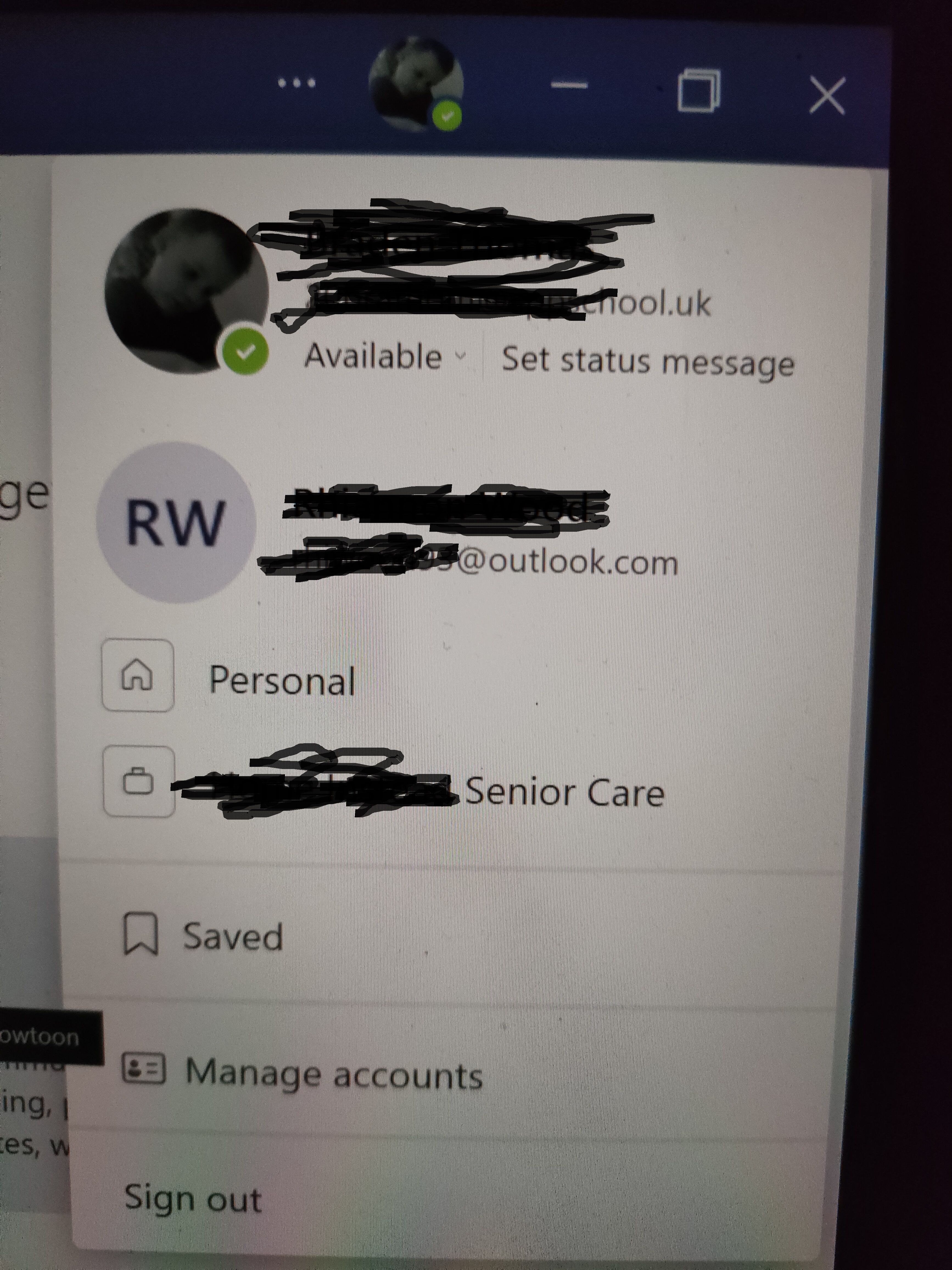
The issue here is that the childs father, a known offender, is demanding access to teams for parents evening. The mothers teams account seems inextricably linked to both her personal and work accounts and she is understandably reluctant to share a login that appears linked to her other logins.
The school has advised they will reset the password and share with the known offender, but given the AAD links to both personal and work accounts as well as Microsoft Authenticator it seems likely that this will either fail, or lead to a GDPR breach as well as a safeguarding failure where victims are should be shielded from abusers.
Thank you for any guidance. I need to speak to school IT later as the headteacher simply doesn't get it and can't see why they can't just create a guest account to provide the father with his own login.
So, when checking here https://myaccount.microsoft.com/organizations it says "Your home organisation is the organisation that manages your account. You can't leave your home organisations.
Does this mean the school has incorrectly set up these accounts as internal accounts rather than guest accounts?
The issue here is that the childs father, a known offender, is demanding access to teams for parents evening. The mothers teams account seems inextricably linked to both her personal and work accounts and she is understandably reluctant to share a login that appears linked to her other logins.
The school has advised they will reset the password and share with the known offender, but given the AAD links to both personal and work accounts as well as Microsoft Authenticator it seems likely that this will either fail, or lead to a GDPR breach as well as a safeguarding failure where victims are should be shielded from abusers.
Thank you for any guidance. I need to speak to school IT later as the headteacher simply doesn't get it and can't see why they can't just create a guest account to provide the father with his own login.
- Mar 07, 2022Hi, no nothing wrong in the setup by the school then. They've added the children's accounts as part of their organization. Resetting that password though and providing it to someone else (without any two-factor authentication, MFA, set up for ex.) would mean that they can sign in with that account.
Sounds like a mess and talking to the school IT seems to be the best way going forward. Good luck.- CoffeeFueledCurmudgeonMar 07, 2022Copper ContributorThanks
But, would it give the other person access to linked accounts?- Mar 07, 2022No. Not sure what the "linked accounts" refers to but there's one password per account. I'm currently signed in with my work account and my personal account both being guest accounts at other orgs. If my org. account password was to be reset by an admin and handed out to someone else, they would not be able to bypass my MFA. If I didn't have that configured they would have access to my work account as see and possibly join other tenants where I'm a guest (MFA important here too), but not the personal account. I have a separate password for that, and MFA on it as well. They are not linked in any way. Just signed in to both in Teams.