Forum Discussion

Live Events Auditorium Mode Toggle Greyed Out
- Sep 09, 2020
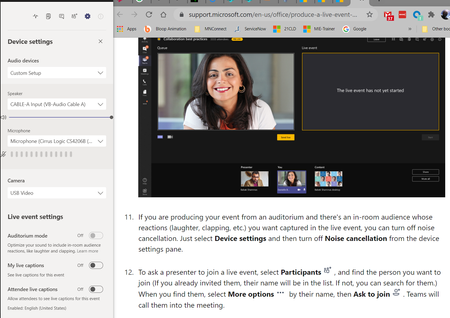
I tested it out. You need to set the setting BEFORE you join the Live Event.
When you are in the prejoin screen open Device settings and choose Auditorium mode before joining in as a producer or presenter.
When you are in the Teams meeting (Live Event) you don't get to change it anymore. I don't know if this is the intention but perhaps it makes it simpler to set up a "auditorium computer" as a separate from other presenters.I tested with Windows and Teams Desktop client.

I tested it out. You need to set the setting BEFORE you join the Live Event.
When you are in the prejoin screen open Device settings and choose Auditorium mode before joining in as a producer or presenter.
When you are in the Teams meeting (Live Event) you don't get to change it anymore. I don't know if this is the intention but perhaps it makes it simpler to set up a "auditorium computer" as a separate from other presenters.
I tested with Windows and Teams Desktop client.

Vesa Nopanen You are an absolute legend!
That is a quirky way of doing things, but it works. Yey! I wish Microsoft had clear instuctions about that nuance. I've been looking everywhere.
Once again, thankyou for your time and advice. I knew coming to the brains trust an answer would be found :).
Many Thanks
Steven