Forum Discussion

Dianne_NZ
Jun 07, 2023Iron Contributor
Contact list no longer available in new Teams version
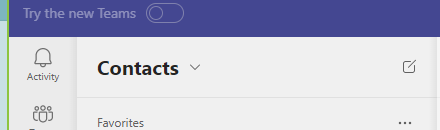
When new teams go live, can I keep using the old version? The new version only has a chat list and no contact list. I regularly use my contact list to determine if someone is in the office. ...

nameless0ne
Jan 15, 2024Brass Contributor
As far as I understand MS does not want to poll the presence info for all the contacts to display it directly in any list. This is why you have to navigate to a contact to see this info. Even if you have a pinned contact in the chat it does not display the up-to-date presence info. You need to hover over the contact at the top of the chat window for Teams to poll the presence info. (the contact can be green and when you hover over it the presence might update to away and last seen 10 min. ago). I've read somewhere that this was done during the pandemic to help with performance.

hps_steve
Jan 15, 2024Brass Contributor
We shouldn't be giving Microsoft (or any company) a free pass for anything remaining sub-par with a "due to covid" excuse. The height of covid and the subsequent stress on infrastructure was years ago now, it isn't a valid excuse.
Showing presence information on any page that is widely out of date is a bug in my opinion.
I don't have the same experience as you on the recent contact list. Whislt more detailed metadata is drawn down like "Available until X" it still matches the presence icon that is shown.
Showing presence information on any page that is widely out of date is a bug in my opinion.
I don't have the same experience as you on the recent contact list. Whislt more detailed metadata is drawn down like "Available until X" it still matches the presence icon that is shown.