
Eligible organizations can try it with a 90-day Teams Premium trial and discount opportunity¹
When teams lack a shared view of customer calls, follow-up can be delayed or missed.
Queues app for Microsoft Teams turns an existing call queue into a collaborative workspace where calling representatives and supervisors work the same set of customer conversations together, in the familiar Teams app they already use every day. The solution is built for collaborative calling teams that manage customer calls alongside their other responsibilities. It supports teams serving external customers, such as bank branches, as well as internal customers through functions like an IT help desk.
The latest Queues app innovations help these teams coordinate customer conversations and resolve issues more quickly.
Make customer conversations visible across the team
The single biggest change to how teams work a queue is shared call history, now generally available. Instead of each representative seeing only their own calls, the queue gets a unified view of missed, incoming, and outgoing calls along with voicemails. That transparency is what makes coordinated follow-up possible, and admins stay in control: access to shared history can be configured for all queue members or restricted to authorized users.
Help teams track customer requests through resolution
Keep customer requests moving toward resolution with a clear, shared view of what needs attention. Representatives and supervisors can now mark a missed call or voicemail as Unresolved, In progress, or Resolved, helping the team see where each request stands and quickly pick up the ones that still need follow-up.
Staff ahead of demand—not after it
Plan staffing with greater confidence by using a longer view of call demand and service patterns. Supervisors and approved viewers can now analyze up to 45 days of call history reporting data, up from the previous 30-day limit, with reports opening to the most recent 7 days by default.
Give team leads more control over day-to-day queue management
Keep queues responsive as day-to-day needs change by giving supervisors and team leads more control over routine updates. Authorized users can manage key call queue settings directly in Teams, reducing reliance on IT for every change and keeping queue leaders closer to the work.
Stay connected while on the move
Stay available to customers without being tied to a desk. With Queues app support on Teams mobile, representatives can remain opted into their queue, review recent calls, and return missed customer calls from their phone while working on a floor, in a branch, or between locations.
See how Queues app helps teams coordinate customer conversations
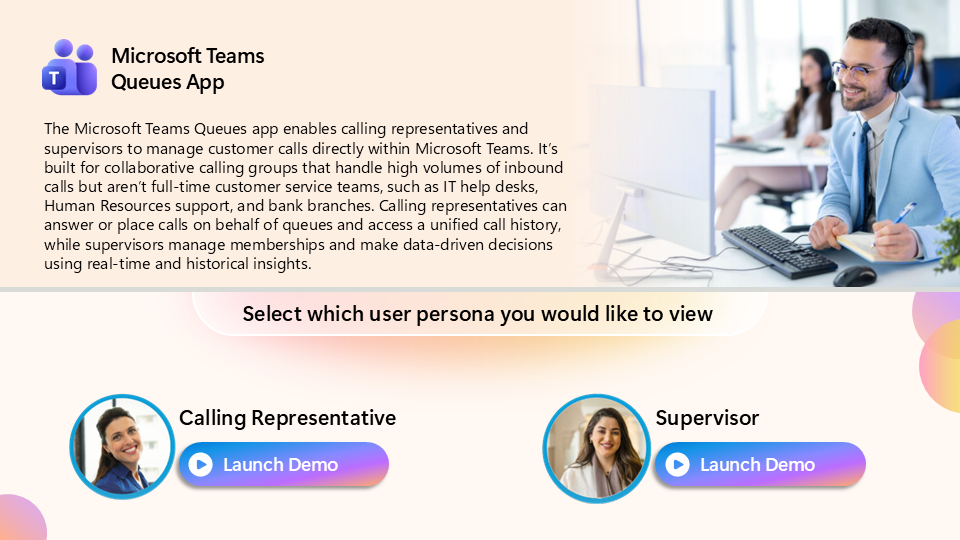
View the Queues app simulation demo.
Here are a few illustrative use cases for how teams can use the Queues app to engage their customers:
- Quickly follow up on missed calls and voicemails. A healthcare clinic can use shared call history so any nurse can see which calls were missed, which voicemails need attention, and what still needs follow-up before calling a patient back.
- Pick up a customer request where a teammate left off. An IT support desk can use resolution status so representatives coming on shift can filter for calls marked Unresolved and avoid duplicating work already In progress.
- Plan coverage using a longer view of demand. A bank branch can use 45 days of historical reporting to see how call volume shifts week over week and adjust staffing before the next peak, rather than after it.
- Answer customers while moving between locations. An employee at a local utility can stay opted into the queue from Teams mobile while traveling between sites, review missed calls and voicemails with context, and return customer calls without needing to be back at a desk.
- Empower the right people to manage queues without needing to add IT overhead. With authorized user capabilities, a team lead or supervisor can update queue settings, monitor activity, and help manage day-to-day call flow directly in Teams, giving frontline owners more control while keeping administration closer to the work.
Experience Queues app capabilities through a 90-day Teams Premium trial and discount opportunity
Now is a great time to try the latest Queues app capabilities in Microsoft Teams Premium. Eligible organizations1 can activate a 90-day Teams Premium trial to give call queue representatives and supervisors hands-on access to tools designed to provide greater visibility into customer calls and help teams coordinate follow-up.
By using Queues during the trial and meeting the promotion eligibility requirements described below, your organization may qualify for a 50% discount on a 1-year Teams Premium subscription so that you can keep taking advantage of premium features across Microsoft Teams2.
Eligible organizations will receive a Message Center post in the Microsoft 365 admin center with details on redeeming their Teams Premium trial licenses. Trial licenses can be redeemed beginning September 14, 2026. Customers have 90 days from that date to redeem their trial licenses. Once redeemed, trial licenses remain valid for 90 days, regardless of whether they are assigned to a user. See the Message Center post for applicable trial terms and redemption requirements.
To make the most of your trial:
- Redeem your trial licenses through the Message Center post in the Microsoft 365 admin center that your organization received if it is eligible to participate.1
- Assign licenses to your calling representatives and supervisors.
- Turn on shared call history and add authorized users to your call queue so the team gets the full collaborative experience. Learn more.
- Track Queues app adoption in the Teams Premium usage dashboard in the Teams admin center (rolling out). Learn more.
- Add authorized users to your call queue so they can configure queue settings, view reports, and monitor agent calls. Learn more.
Ninety days gives teams time to evaluate how Queues app fits their workflow. Start your trial and see what your team does with it. All licensing, pricing, and service limits are subject to change.
Additional resources
- View the Queues app simulation demo.
- Learn more about Queues app.
- Learn more about managing Teams call queues.
1 Offer available only to eligible organizations that receive the corresponding Message Center post. To qualify for the Teams Premium trial offer, organizations must have averaged more than 10 monthly active call queue members between April and June 2026. The number of trial licenses available to your organization is specified in the Message Center post. Trial licenses may only be redeemed through the Message Center post. Users must also have the required Teams and Teams Phone licenses to use the Queues app.
2 Organizations that achieve average monthly active Queues app usage equivalent to at least 50% of their provided trial licenses or 50% of their monthly active call queue users between April and June 2026, whichever is lesser, during the 90-day trial period may qualify for a 50% discount on a one-year Teams Premium subscription for the same number of licenses included in the trial. Subject to applicable purchasing requirements, the discount offer will be available to qualifying customers beginning March 2027, following the trial period, and will be communicated via email.

 Microsoft