Forum Discussion

How to use Intune manager uninstall Windows mail app
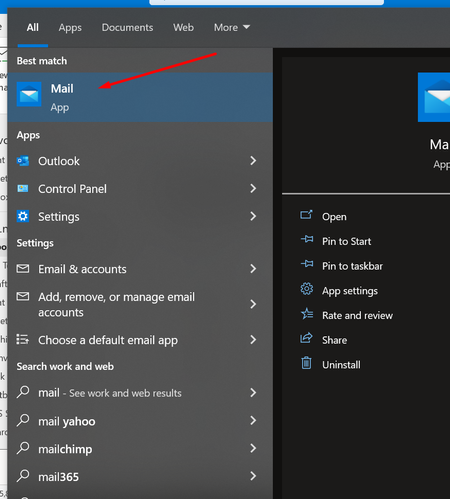

Applocker CSP here PRICESLY that (instead of uninstalling you DENY access)
https://techcommunity.microsoft.com/t5/intune-customer-success/support-tip-using-applocker-to-create-custom-intune-policies-for/ba-p/364981
that article was from 2019 so here is the updated OMA-URI node and XML parts to use instead of the ones mentioned in the article but beside that follow everything in that article. You DO NOT need to start the App Identity service as it will automatically start (even though by default it is stopped and set to manual)
OMA-URI (CASE SENSITIVE) ./Vendor/MSFT/AppLocker/ApplicationLaunchRestrictions/Grouping/StoreApps/Policy
XML part to use a string value
<RuleCollection Type="Appx" EnforcementMode="Enabled">
<FilePublisherRule Id="c3d7f207-377d-4512-bb18-d41c86063d54" Name="microsoft.windowscommunicationsapps, version 16005.14326.0.0 and above, from Microsoft Corporation" Description="" UserOrGroupSid="S-1-1-0" Action="Deny">
<Conditions>
<FilePublisherCondition PublisherName="CN=Microsoft Corporation, O=Microsoft Corporation, L=Redmond, S=Washington, C=US" ProductName="microsoft.windowscommunicationsapps" BinaryName="*">
<BinaryVersionRange LowSection="16005.14326.0.0" HighSection="*" />
</FilePublisherCondition>
</Conditions>
</FilePublisherRule>
</RuleCollection>

Hi, aollivierre305 I just change the GUID, the reason why I change is because of now the sticky note and Company portal couldn't launch.
Let's see how it goes.
- aollivierre305Apr 18, 2022Brass ContributorI just learned this https://docs.microsoft.com/en-us/windows/security/threat-protection/windows-defender-application-control/wdac-and-applocker-overview#:~:text=Generally%2C%20it%20is,new%20feature%20improvements
Try to use MDAC/WDAC instead of Applocker
if you still want to try with Applocker then model the policy via GUI using the secpol.msc then export the policy to XML and open the XML with VS Code and take a look at the XML structure.- Sk-73Apr 18, 2022Iron Contributor
Thanks for getting back with a diff method. I will check out the link and read thru later. Can I check with you, how to make it only block mail app? The reason why is because of I've managed to block the mail app but also blocking the sticky note and Company portal.
OMA-URI: ./Vendor/MSFT/AppLocker/ApplicationLaunchRestrictions/Grouping/StoreApps/Policy
String value:
<RuleCollection Type="Appx" EnforcementMode="Enabled">
<FilePublisherRule Id="516ca83f-ea5f-43f2-82de-643153669ae8" Name="microsoft.windowscommunicationsapps, version 16005.14326.0.0 and above, from Microsoft Corporation" Description="" UserOrGroupSid="S-1-1-0" Action="Deny">
<Conditions>
<FilePublisherCondition PublisherName="CN=Microsoft Corporation, O=Microsoft Corporation, L=Redmond, S=Washington, C=US" ProductName="microsoft.windowscommunicationsapps" BinaryName="*">
<BinaryVersionRange LowSection="16005.14326.0.0" HighSection="*" />
</FilePublisherCondition>
</Conditions>
</FilePublisherRule>
</RuleCollection>- aollivierre305Apr 19, 2022Brass Contributor
Sk-73 yeah I just noticed the same behavior where Stickynotes and Company Portal were also impacted by the policy which is a bizarre thing.
I would try then with alternative methods like MDAC/WDAC or the Uninstall option or both as it seems the Applocker method would require more testing at this point.