Forum Discussion

Microsoft Forms not connecting to Flow
Hi,
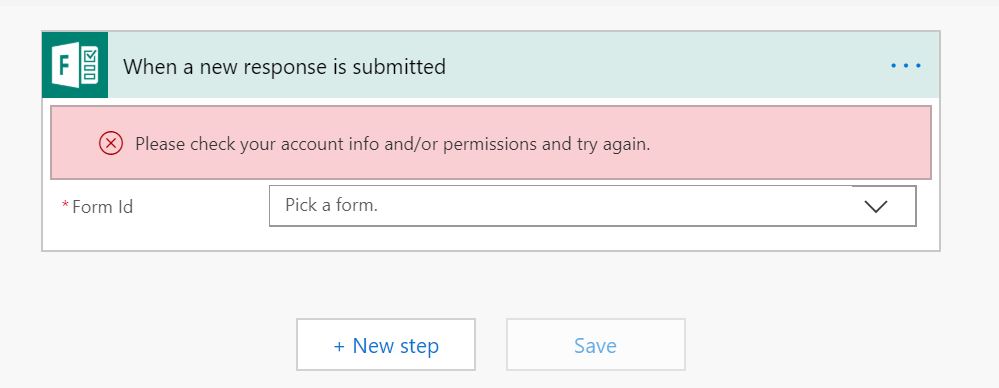
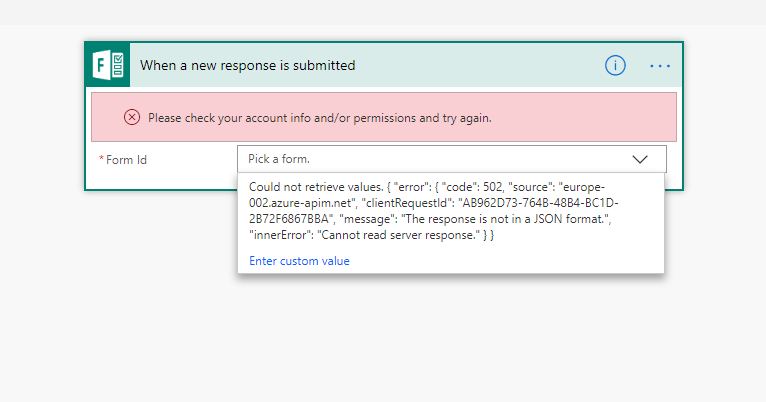
Really tearing my hair out here - I'm trying to connect Forms to Flow, and each time I get an error message saying to check my permissions/account info - I can't seem to find any solutions anywhere, have logged in on different laptops, with different account names.
Any help greatly appreciated.
Thanks!
Tommyt
5 Replies
 Travis SobeckCopper Contributor
Same problem, and it already knows I'm logged in. Wow, clearly the right hand isn't talking to left hand at microsoft on this one.
- Damien_RosarioSilver Contributor
Hi tommyt
My only comment in addition to what's mentioned, is to check that the form is accessible from your Microsoft Forms list which will let you pick it in Microsoft Flow.
Make sure you are on the same O365 account when you do this.
If you want to perform a test, make a test Form and then try to connect it to flow to see if this does the trick.
Let us know how you go?
Cheers
Damien
 tommytCopper Contributor
Thanks for the replies everybody.
Unfortunately I still can't get it to work.
Damien - my form isn't accessible in the drop down list
I have made sure i am in the same O365 account for forms/flow and still can't link flow with my forms.
Any help would be greatly appreciated - I'm sure it is something simple, but I can't understand what I am doing wrong.
The error message I get is attached.
Thanks!!
- Thuyavan GanesanSteel ContributorGo to Flow and please check if you have provided a proper Office 365 account for the action where you are connecting MS Forms, When you open your flow it must be throwing error by now.please check.
Also
You could try to solve the problem from these aspects:
Log in to your account in MS Forms to see if it is valid. If it is invalid, please try to change the account or password.
Or register a new MS Forms account directly, then add a new connection to see if this issue still occurs.
If the account is valid, try adding a new MS Forms-Connection, or delete the previous connection and re-create the new connection.
Please refer this forum too...
https://powerusers.microsoft.com/t5/General-Flow-Discussion/MS-Flow-amp-MS-Forms-Please-check-your-account-info-and-or/td-p/181925 - EricStarkerFormer EmployeeI'm moving your question to the Microsoft Forms community for better visibility.