Forum Discussion

Sway has stopped working in my Office 365
- Oct 05, 2018
Are you seeing this within other applications in office 365 too?
From were do you try to login?
Go to "https://portal.office.com" in another browser tab and log out! Close browser and reopen and sign in again
Else try another browser mean while and see what happens
/ Adam

Dear Adam,
Thanks for your prompt reply which has solved half of the puzzle. By logging out and then signing in directly from http://sway.office.com, I will indeed be able to use my Sway slides again.
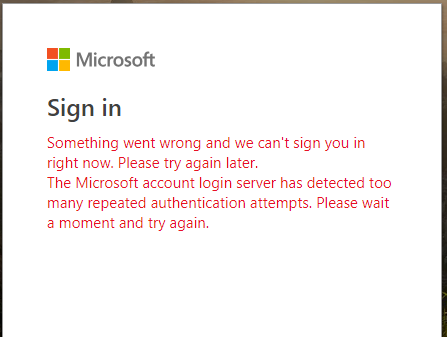
However, I ought to be able to sign into Sway from my Office 365 account, since this is one of the Office 365 applications listed on my OneDrive. I have no problems with other Office 365 applications, but nowadays (not previously), whenever I try to log into Sway from OneDrive, I get this problem as shown below:
By implication, I cannot share my Sway slides on websites with colleagues, since most of my colleagues may not have an Office 365 account.
Your further support will be highly appreciated.
Best regards.
Youxuan
.

For now just open sway with the url directly or try open it from within any other page in office 365!
How do you mean? Can’t you share?
You should be able to share from sway and and you also don’t have to have a office 365 subscription to open it
- Youxuan WangOct 06, 2018Copper Contributor
Dear Adam,
Many thanks for your prompt and helpful replies. I will do what you have recommended, hoping I will eventually be able to go straight to Sway from OneDrive.
Some colleagues who did not have a Hotmail or OneDrive account could not open my Sway links recently, though I didn't have this problem before. I will test again, and will let you know if this problem persists.
Many thanks once again for your professional help. Your further support will be highly appreciated.
Best regards.
Youxuan
- Oct 06, 2018Glad I could help!