Forum Discussion

emails missing

This could be a rule setup locally on the outlook, this could be MRM policies, this could be someones iphone app going wonky and removing things from incorrect settings, honestly this could be a number of things.
I would recommend trying to eliminate some of the variables here to try to get down to what may be causing it.
1. Try first creating new profiles for the users this is happening too. A new Outlook profile, new phone profiles etc. I would recommend YOU set them up for them, not trust them to do it correct on their own.
2. If that continues to happen, start eliminating the devices. Try to get down to where 1 or even no extra profiles/devices are running.
- If you eliminate the phone of the user but outlook is still running and the issue persists, well its probably outlook, or server related. Or vice versa, if you eliminate the phone and it stops, then you know it was probably something on the phone.
- If you get to the point of the user only using OWA, and there are no outlook or mobile connections, then you know for sure it is a server side setting causing the issue.
I realize these types of steps are somewhat intrusive for the user, but if you have auditing enabled, and are not getting any specifics from there, then you need to start proactively trying to find the root of the problem, but right now you likely have to many candidates to do that confidently. As such you need to start eliminating variables to isolate down the problem to a specific mechanism.
Goodluck!
Adam

i have re-create my outlook profile.
disabled outlook for mobile device. such that i only access email using browser on the phone.
right now only emails that are send out are going to the deleted recovery.
how do i logged a case with microsoft suppport to help with this case ?
- Kin Mun YeowOct 28, 2018Copper Contributor
after monitoring closely for the past 3-4 days, i noticed that it always happened over night.
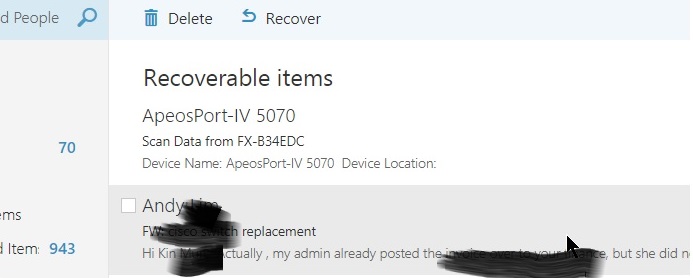
emails just get moved to the deleted folders as i checked my OWA each morning and i need to do recovery of deleted items.
i still cannot figure out why is this happening
emails being deleted consists of most recent to the last one dates 6 Oct 2016.
- Kin Mun YeowOct 26, 2018Copper Contributor
i do know that we purchased O365 licences through 3rd party vendor.
my question is, why is the service request being re-directed to the 3rd party vendor instead of directly to Microsoft since this is a technical question not related to me O365 licences.
i remembered in August this year, i did managed to log a service request directly to Microsoft to solve one of my user having emails being sent to junk folder.
- Adam OchsOct 26, 2018Steel Contributor
Hey Kin,
That just means you likley purchased O365 through a third party like Go-daddy or someone similar.
As such, they essentially are a line of defense between you and Microsoft.
You can follow this article to see who your partner of record is listed as - https://support.office.com/en-us/article/add-change-or-delete-a-subscription-advisor-partner-f86e8177-936e-491e-9024-44dea2b296ff
They will likely be who this is.
Adam
- Kin Mun YeowOct 25, 2018Copper Contributor
i can't seems to log a case with Microsoft.
each time i create a new ticket, it will ask me to contact my partner instead.
is there a limit as to how many ticket i can logged with Microsoft?
- Oct 25, 2018Please log a ticket in the admin portal under support!