Forum Discussion

VBA Code: count & hide
- Dec 06, 2021
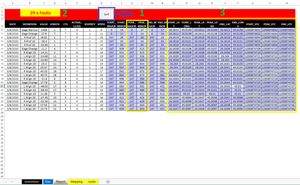
When I select I6:N27 and click the button, only cells in that range are colored. Perhaps the cells in columns A, E and F had already been colored before.
I have corrected the coloring and the count (I hope). See the attached version.

When I select I6:N27 and click the button, only cells in that range are colored. Perhaps the cells in columns A, E and F had already been colored before.
I have corrected the coloring and the count (I hope). See the attached version.

it's worked really well, just tiny issue is that the header of the columns disappears, if you could fix this, will be much appreciated.
thank you so much
- HansVogelaarDec 07, 2021MVP
Make sure that you select the range you want to format: I6:N27, not I5:N27 or an even larger range.
If you include I5:N5, the code will remove the background color of those cells, leaving the white text invisible.
- style3bodyDec 19, 2021Copper Contributor
Thank you so much, sir, really appreciate your hard work and effort in this matter
if you just do one last thing in this regard, will be much appreciated:
in the sheet report, I have button 1 that colors the duplicate after selecting the range
(( as you know 🙂 )) .. could be possible if this step be automated ..... like once I click the button it selects the range directly without the pop-up message coming up.
the range will be fixed (non-changble), I want the range to be the whole columns ( i,j,m,n)
thank you again, you are the hero for me 🙂
Note: Copy of the file attached
- HansVogelaarDec 19, 2021MVP
See the attached version.