Forum Discussion

KanwalNo1
May 19, 2022Iron Contributor
Sumproduct and New Dynamic Array Formula
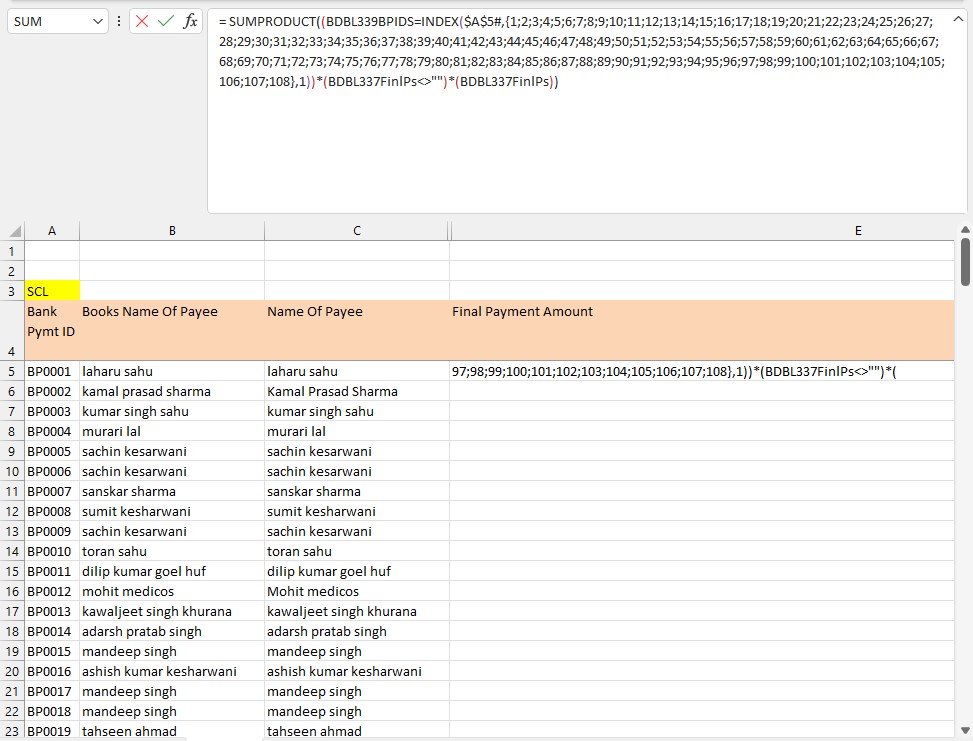
I am using the following formula to Compute SUMPRODUCT and similarily auto-populating the formula to cover the entire range instead of entering the formula in all the cells. But it seems I have hit a...




mtarler
May 20, 2022Silver Contributor
SergeiBaklan that was a good question I should have asked.
KanwalNo1 you can just leave that row parameter blank:
=INDEX($A$5#,,1)
to return all the rows and only 1st column
KanwalNo1 you can just leave that row parameter blank:
=INDEX($A$5#,,1)
to return all the rows and only 1st column

KanwalNo1
May 20, 2022Iron Contributor
mtarler
=INDEX($A$5#,,1) does work if used as it is in a cell. It will return full range. But as per my understanding, if we need to make it work like a dynamic array formula, when wrapped within a non-dynamic array function, then SEQUENCE function make that happen.
I have experienced that in past (or it solved my problem, so I might have believed it to be like that). So whenever I need to force a Non-Dynamic Array Function to return results for an entire range, using sequence within the INDEX to return the desired value for each row solved my issue.
=INDEX($A$5#,,1) does work if used as it is in a cell. It will return full range. But as per my understanding, if we need to make it work like a dynamic array formula, when wrapped within a non-dynamic array function, then SEQUENCE function make that happen.
I have experienced that in past (or it solved my problem, so I might have believed it to be like that). So whenever I need to force a Non-Dynamic Array Function to return results for an entire range, using sequence within the INDEX to return the desired value for each row solved my issue.