Forum Discussion

String Match part of an array with repeated strings in duplicate records and return value
 Jul 11, 2022
=IF(SUM(N(IF((sheet3!$B$2:$B$7=sheet4!H7)*ISNUMBER(SEARCH(sheet4!G7,sheet3!$C$2:$C$7))=1,MATCH(IF((sheet3!$B$2:$B$7=sheet4!H7)*ISNUMBER(SEARCH(sheet4!G7,sheet3!$C$2:$C$7))=1,sheet3!$D$2:$D$7),IF((sheet3!$B$2:$B$7=sheet4!H7)*ISNUMBER(SEARCH(sheet4!G7,sheet3!$C$2:$C$7))=1,sheet3!$D$2:$D$7),0)=ROW($1:$6))))>1,"Multiple",INDEX(sheet3!D$2:D$7,MATCH(1,(sheet3!$B$2:$B$7=sheet4!H7)*ISNUMBER(SEARCH(sheet4!G7,sheet3!$C$2:$C$7)),0)))
This formula seems to work in my sheet. The formula has to be entered with ctrl+shift+enter if one doesn't work with Office365 or 2021. Do you happen to work with Office365 or 2021? I think with the help of the UNIQUE and FILTER formula it would be a lot easier to do this.
Can you manually type your expected result in a spreadsheet and attach a picture of this to your reply?
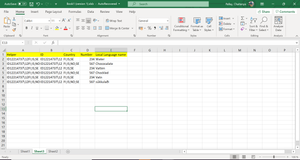
OliverScheurich, here you go:
- OliverScheurichJul 11, 2022Gold Contributor
=IF(SUM(N(IF((sheet3!$B$2:$B$7=sheet4!H7)*ISNUMBER(SEARCH(sheet4!G7,sheet3!$C$2:$C$7))=1,MATCH(IF((sheet3!$B$2:$B$7=sheet4!H7)*ISNUMBER(SEARCH(sheet4!G7,sheet3!$C$2:$C$7))=1,sheet3!$D$2:$D$7),IF((sheet3!$B$2:$B$7=sheet4!H7)*ISNUMBER(SEARCH(sheet4!G7,sheet3!$C$2:$C$7))=1,sheet3!$D$2:$D$7),0)=ROW($1:$6))))>1,"Multiple",INDEX(sheet3!D$2:D$7,MATCH(1,(sheet3!$B$2:$B$7=sheet4!H7)*ISNUMBER(SEARCH(sheet4!G7,sheet3!$C$2:$C$7)),0)))
This formula seems to work in my sheet. The formula has to be entered with ctrl+shift+enter if one doesn't work with Office365 or 2021. Do you happen to work with Office365 or 2021? I think with the help of the UNIQUE and FILTER formula it would be a lot easier to do this.
- Chaitanya_PalleyJul 12, 2022Copper Contributor
OliverScheurich, yes I am using office 365.
Anyways, the formula seems to return true even if the country column does not have value resulting in returning value regardless of the country selection.
- OliverScheurichJul 12, 2022Gold Contributor
Actually in the expected results you didn't indicate that there is a scenario without a country code:
If the formula should recognise scenarios without a country code one would have to add a NOT(ISBLANK(sheet4!G7)) statement in the formula.
However you work with Office365 and therefore i suggest to apply the new functions which extremely simplify task like this.