Forum Discussion

CBillow
Jul 20, 2023Copper Contributor
Permanently hidden column?
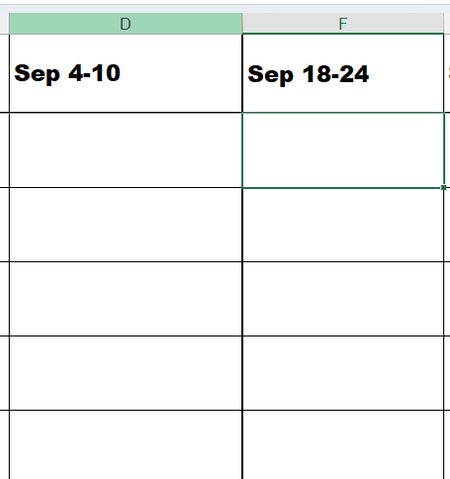
No matter what I do to Unhide, I cannot find Column E - and there is a bolder line there between D&F. What does this mean? Where is my Column E?
- Jul 20, 2023
Click on the column header of column D, then hold down Shift and click on the column header of column F.
Set the column width to (for example) 10. One way to do this is to select Format > Column Width... on the Home tab of the ribbon.

CBillow
Jul 20, 2023Copper Contributor
THANK YOU it worked! But can you tell me why or what the problem was, so I'll know for future? was it just a matter of somehow Col E got shrunk too small???

HansVogelaar
Jul 20, 2023MVP
The column width of column E had probably been set to 1 pixel or so - that makes it appear hidden while it isn't.
- CBillowJul 20, 2023Copper ContributorMuch appreciated!