Forum Discussion

#NUM! error with chi-squared test statistic
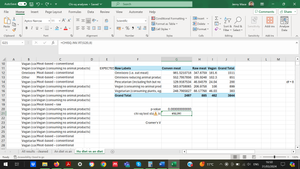

I was right: chisq.test returns exactly zero for the p-value because it encounters a numerical computation limitation. But that should not affect your interpretation with respect to the null hypothesis.
And I suspect that SPSS would encounter the same numerical limitation, since most applications use the same internal numerical representation (64-bit binary floating-point).
On the other hand, the #NUM error from chisq.inv.rt seems to be due to an arbitrary limitation of the internal algorithm. SPSS might behave differently.
But since we have the actual and expected data, we can calculate the chisq statistic directly with the following formula in G21:
=SUMPRODUCT( (G4:I8 - G12:I16)^2 / G12:I16 )
That returns 1453.99071.
Aside.... You can replace SUMPRODUCT with SUM in "dynamic-array aware" versions of Excel. That might be clearer.
-----
TMI.... With the chisq statistic in G21, we could calculate the p-value in G20 with the formula =CHISQ.DIST.RT(G21, 8). Of course, we might as well use CHISQ.TEST. But the CHISQ.DIST.RT formula gives us insight into the numerical limitation.
As we arbitrarily increase the chisq statistic from 1452, we see that the p-value gets infinitesimally smaller until it reaches 2.22508E-308 when the chisq statistic is 1452.74596. 2.22507E-308 (2^-1022) is the smallest number that we can represent with 64-bit binary floating-point. (But Excel does not allow us to enter 2.22507E-308 manually, an arbitrary limitation.)
Likewise, we find that 4.24870E-63 is the smallest p-value that works with =CHISQ.INV.RT(G20, 8). With that arbitrary p-value in G20, CHISQ.INV.RT returns the chisq statistic 314.0252679. Obviously, that is significantly less than the numerically-limited value of 1452.74596.

Many thanks once again!
I realised one can run chi-squared tests in SPSS on uncoded 'word' data i.e. string data as SPSS calls it. So, I thought I'd quickly import my data to SPSS to see if a similar error message occurred. I'm pleased to report it did not, so I guess I'll continue on SPSS. Interestingly, the chi-squared statistic that SPSS returns is 1462.463 (vs 1453.99071 as per your equation above). I thought you mind be interested to know this. Obviously they are quite similar but nevertheless different...
Best wishes,
Jenny
- JoeUser2004Apr 01, 2024Bronze Contributor
JennyLMace wrote: "import my data to SPSS to see if a similar error message occurred. I'm pleased to report it did not"
In Excel, the "error message" per se arises when we calculate the chisq statistic based on the p-value alone. That is, CHISQ.INV.RT.
Is that the "error message" that you refer to?
What did you input to SPSS for that calculation: (1) the p-value alone; or (2) the actual and expected values, or the original data?
I am not familiar with SPSS. Even if you __think__ you did #1, is it possible that SPSS did #2 because it is aware of the related data (context of the "session")?
Just for grins, I would be interested in the result when SPSS calculates the chisq statistic without importing any data. IOW, just enter the p-value, ideally with 15 significant digits of precision.
Is that possible in SPSS?
-----
In any case, what p-value does SPSS return for your data?
Exactly zero (0.00E+00), as Excel does?
If not, please show us the SPSS p-value in Scientific notation, ideally with 5 or more decimal places (up to 15 significant digits).
Just curious. Thanks.
- JennyLMaceApr 02, 2024Copper ContributorSorry Joe, I can't prioritise replying thoroughly right now. #NUM! (or equivalent error in SPSS) was the error I was referring to. One doesn't have to input any formulae in SPSS. You just put in the data and then ask it to work its magic (i.e. select which test you want done). I can confirm it did state "0.00" in SPSS for the p-value. I read elsewhere that this should still be taken as p<0.001 as absolute zero is impossible - as you also said.
Many thanks again 🙂- JoeUser2004Apr 02, 2024Bronze Contributor
JennyLMace wrote: "Sorry Joe, I can't prioritise replying thoroughly right now"
I understand. And thanks; I think you answered my questions sufficiently. Since SPSS is aware of all of the data, it probably calculates the chisq statistic with SUM((actual-expected)^2/expected), which works fine in Excel as well, not with an SPSS equivalent of chisq.inv(pValue,df), which is "numerically-challenged" in Excel (wink). And you confirmed that with such a large chisq statistic, SPSS hits the same numerical limitations as Excel, and it returns a zero p-value.
Bottom line: In Excel, do not use CHISQ.INV.RT(pValue, df) to calculate the chisq statistic, if we have the data. It is unreliable. Use the SUM formula instead. Good to know. Thanks again.
- JennyLMaceApr 01, 2024Copper ContributorActually, I just realised I used a SLIGHTLY different dataset. I just ran it again with identical data and I received the EXACT identical statistic to your equation above - fabulous! Now I have two options to continue with 🙂