Forum Discussion

Need your help to create a time in days formula
- Mar 26, 2023
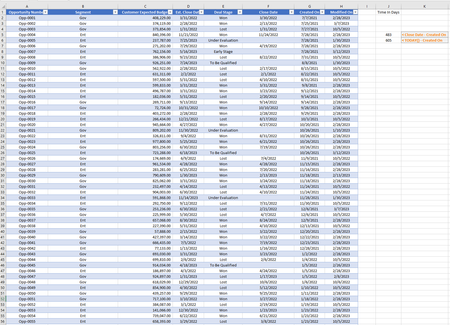
Use
=IF([@[Close Date]]="",TODAY(),[@[Close Date]])-[@[Created On]]
Format the column with this formula as General or as Number.


You should have continued on the old thread and not started a new one.
Helpers who don't know about the old thread also would not know about the other proposed solutions. And helpers who contributed to the old thread could be embarrassed or angry because you did not bother or were not willing to notify them that there solutions may be wrong.
However, I did not check your new data but the solution provided by HansVogelaar should give the same results as my formula.
- MOhammedaldbMar 27, 2023Copper Contributor
The problem with the old thread is that some of the data don't make sense as you said there were deals that are closed in the future and this will only make you and other helpers confused so I thought instead of going back and forth with data that is flawed and not accurate I tried to delete the old thread but it seems that I couldn't so rather than explaining it again in one thread I thought that making a new thread is the best solution my intentions were not to make you and the other helpers angry so sorry about that,
regarding the formula, as you can see in the pictures your formula seems to be doing something wrong as you can see any deal with open status ( no close date ) is right and gives me the same time in days as Hans's code, the thing is I think your code is taking the TODAY() function wither the deal have a close day or wither it doesn't as you can see in the photos below.
with close date
no close date
and sorry again if I didn't do the right thing regarding the last thread this is my first time here and I'm still learning,
thank you.
- Detlef_LewinMar 27, 2023Silver Contributor
I'm sorry. My formula should have used MIN() instead of MAX().
=MIN([@[Close Date]],TODAY())-[@[Created on]]