Forum Discussion

jumbled column contents excel to .txt
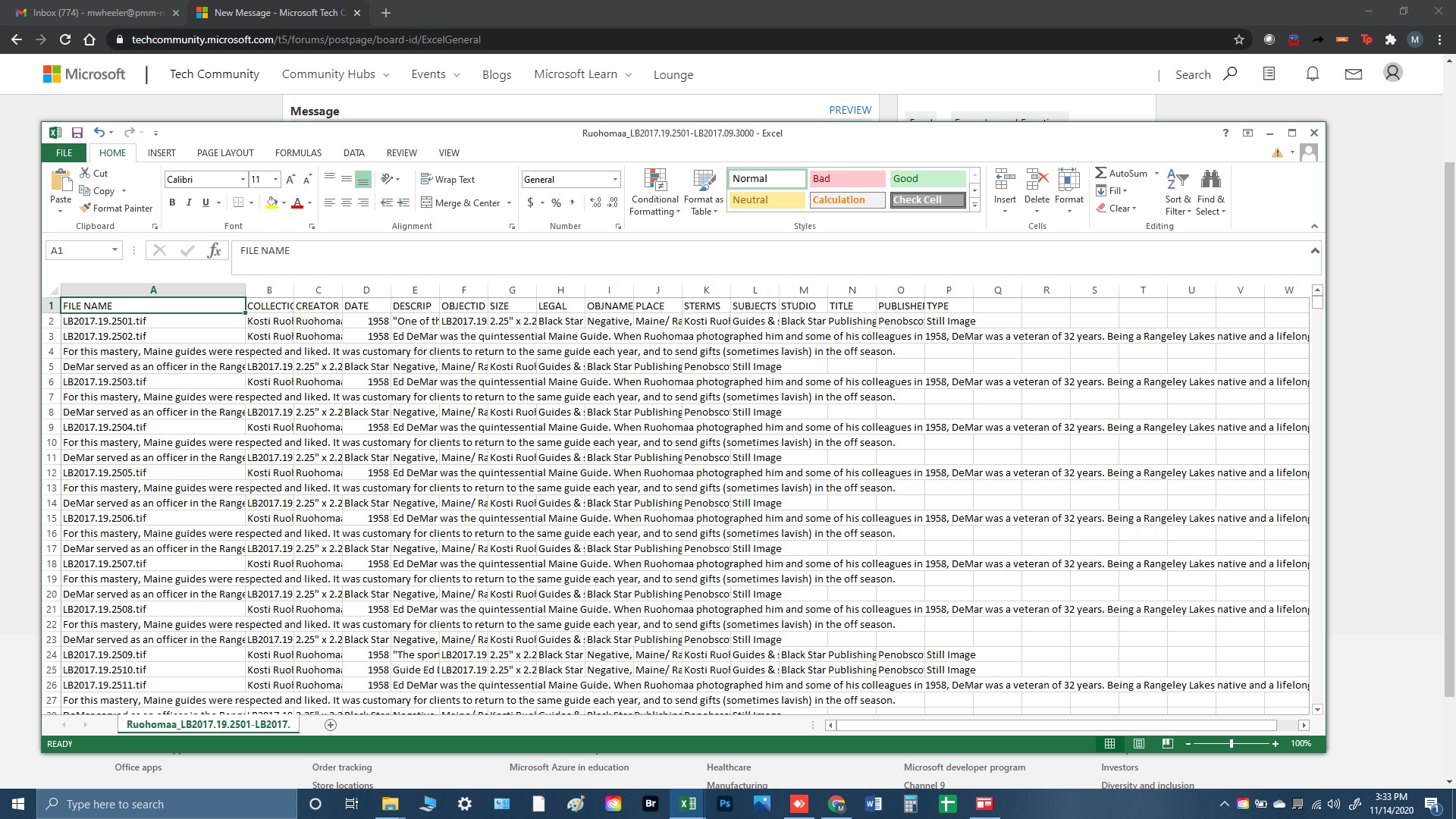
I use a script to migrate data into an .xml environment; the first step is to save an Excel sheet containing that dataset as tab-delimited text (this is non-numeric data). In long blocks of text-based data within a cell, I often insert line breaks (Alt + Return). However, in the resulting .txt file, any data after a line break is bumped into the 1st column. I don't remember having this problem with earlier versions of Excel. Is Excel interpreting these line breaks as tabs? Is there a way to keep the line breaks without this column reassignment? Failing that, is there a quick way to delete all the line breaks in a column? Thanks for help with this mystery.
1 Reply
- NikolinoDEPlatinum Contributor
Here is a VBA code - untested ... but it should work 🙂
Sub example code ()
Dim Regex As Object
Dim meAr ()
Dim nCount &, MaxRow &, lngTeil &, lngStep &
Dim rng range As Range
Set Regex = CreateObject ("Vbscript.Regexp")

With Sheets ("Table1")

     MaxRow = .Cells (.Rows.Count, 1) .End (xlUp) .Row
     Set rngRange = .Range ("A2", .Cells (MaxRow, 1))

     lngStep = (MaxRow - 1) / 5

     With regex
       .MultiLine = True
       .Pattern = "\ n"
       .Global = True
     End With

       For lngTeil = 1 To MaxRow - 1 Step lngStep

         meAr = .Range (rngRange (lngTeil, 1), rngRange (lngTeil + lngStep - 1, 1)). Value2

         For nCount = 1 To Ubound (meAr)
           'replace line break with nothing or another character
            meAr (nCount, 1) = Regex.Replace (meAr (nCount, 1), "^")
         Next nCount

         rngRange (lngTeil, 1) .Resize (Ubound (meAr)) = meAr

         Erase meAr
       Next lng part

End With
End Sub
Hope I was able to help you.
Nikolino
I know I don't know anything (Socrates)
* Kindly Mark and Vote this reply if it helps please, as it will be beneficial to more Community members reading here