Forum Discussion

Hide error strings
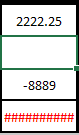

Riny_van_Eekelen Thank you for that info. I guess the question now would be: Is there a way to hide the info in C4 and C5 unless both C2 and C3 have data entered into them?

In C4:
=IF(OR(ISBLANK(C2),ISBLANK(C3)),"",(C3-C2)/0.25)
in C5:
=IF(OR(ISBLANK(C2),ISBLANK(C3)),"",C4*12.5)
.... or see attached. Although, I note that C3 is not part of any of your formulae, so C3 being blank or not has no impact..
Edit: Corrected the first formula!
- JoeRockFeb 29, 2020Copper Contributor
Riny_van_Eekelen Thank you so much for all your help. It worked, but I wanted the original values of 0 for C4 & $0.00 for C5 to be present even when C2 & C3 were blank. I figured out by putting the values in the quotes that it does the job. So this is what they look like now.
C4: =IF(OR(ISBLANK(C2),ISBLANK(C3)),"0",(C3-C2)/0.25)
C5: =IF(OR(ISBLANK(C2),ISBLANK(C3)),"$0.00",C4*12.5)
It seems to work. If you see anything wrong with it please let me know.
Again thanks so much for your help!!
- Riny_van_EekelenFeb 29, 2020Platinum Contributor
JoeRock That would work fine. Though, putting the 0 or the $0,00 between quotes ("") makes them texts. You can skip the quotes if you want to return the number -zero- (formatted as $, if you want) as values.
- JoeRockFeb 29, 2020Copper Contributor
Riny_van_Eekelen so then it would look like this?
C4: =IF(OR(ISBLANK(C2),ISBLANK(C3)),,(C3-C2)/0.25)
C5: =IF(OR(ISBLANK(C2),ISBLANK(C3)),,C4*12.5)
This way the cell retains it's number format. Is that correct.
Thanks JoeRock
- Riny_van_EekelenFeb 28, 2020Platinum Contributor
Riny_van_Eekelen Must have accidentally overwritten part of the formula in C4. Hence, my comment that C3 is not part of any formula.