Forum Discussion

Excel Display Issue When Working w/ Multiple Sheet & Macro Enabled Woorkbook
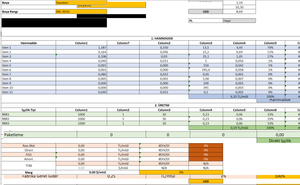

JKPieterse Hey there, I have been searching the internet left right and center to find a solution to my issue. I noticed you helped a member solve a similar issue so fingers crossed I can get the same thing working with my excel workbook. Basically I have a similar situation (many sheets, lots of formulas (all cells shaded blue which are either simple mathematical formulas or some sort of lookup formula)). What I have done is make a few buttons on each page which essentially add or remove pages so that the user doesn't have to remember passwords and unlock the workbook to unhide or hide sheets. My issue is that when these simple macros are enabled I get screen display issues like the previous user. On some sheets I will open it up by clicking the button and the sheet will look normal but when I input any data all of a sudden the sheet becomes see through on some cells. I can scroll down and then back up and the display error is fixed but then when I input data again the same issue keeps happening. It only seems to happen on sheets where other pages are referencing or looking up cells that are on that sheet. Please see the photos for a better Idea.


Jn12345 You could add code that does the scroll down and back up when the actual work is finished:
Sub ScrollUpAndDown()
    Dim rws As Long
    rws = ActiveWindow.VisibleRange.Rows.Count
    ActiveWindow.SmallScroll rws
    ActiveWindow.SmallScroll , rws
End Sub