Forum Discussion

excel creating a macro that will adjust to parallel cells automatically
hi i currently have an excel in which i record all customers data. order number, name, product, amount paid, i have another workbook that i created an invoice in. i want to copy the relevant information automatically into specific cells in the second workbook so that the invoice will be produced automatically.
currently i have created a macro button that taken this info and puts it into the second workbook in the cells i need however this only does it for the one row when i need it for every row automatically.
thanks
2 Replies
- Mark FitzgeraldIron ContributorCould you post your code, a redacted sheet showing orders and how you expect the invoice to look?
 Yehuda MacmullCopper Contributor
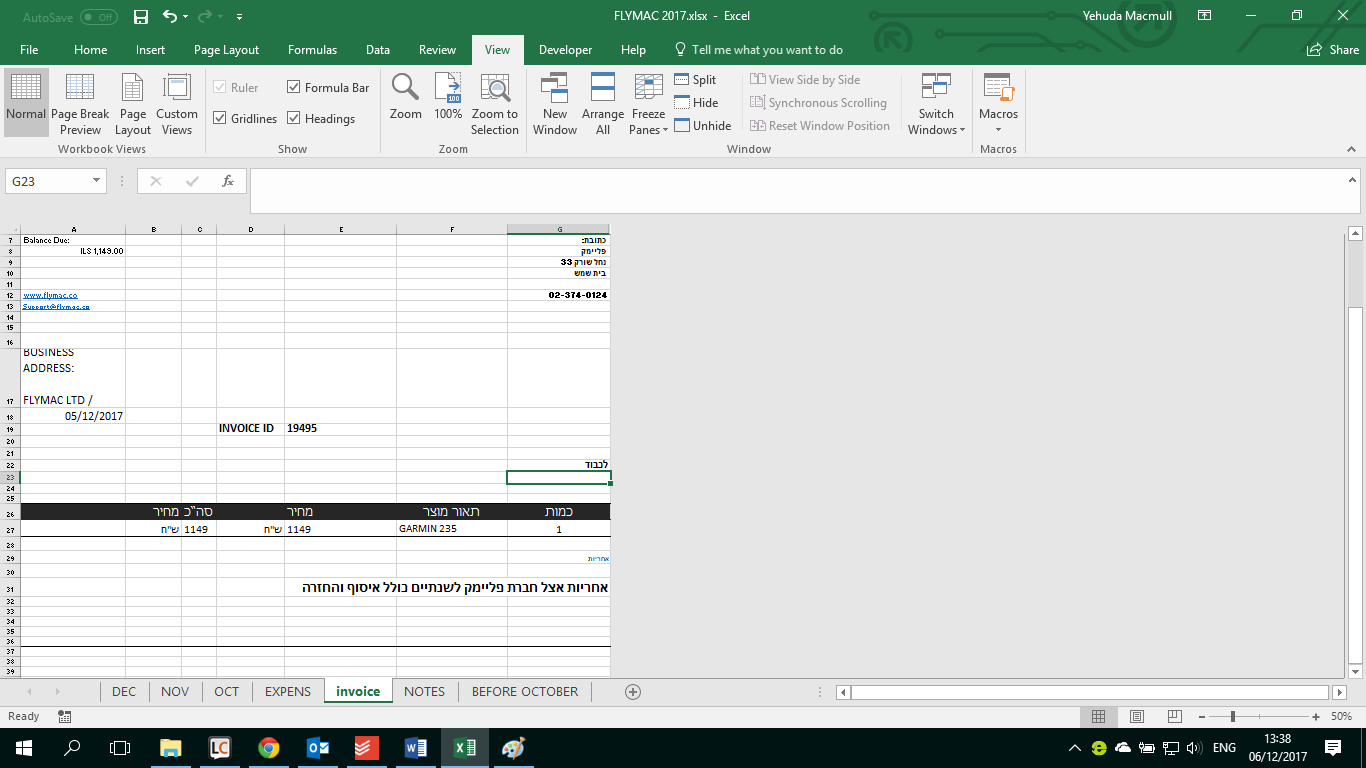
Thanks for your help. i have included two screen shots. the first one is my excel with customers in. the second is a different workbook with the invoice. i would like to create a button that will automatiically copy on the same line the order number, product name, amount paid and date to the relevent cells in the invoice workbook. this is the code i have currently
ActiveWindow.ScrollColumn = 2
Range("A13").Select
Selection.Copy
Sheets("invoice").Select
Range("E9").Select
ActiveSheet.Paste
Sheets("DECEMBER").Select
Range("B13").Select
Application.CutCopyMode = False
Selection.Copy
Sheets("invoice").Select
Range("E12").Select
ActiveSheet.Paste
Sheets("DECEMBER").Select
Range("J13").Select
Application.CutCopyMode = False
Selection.Copy
Sheets("invoice").Select
Range("D18").Select
ActiveSheet.Paste
Sheets("DECEMBER").Select
End Subthanks for your help