Forum Discussion

Data pivot table lab data
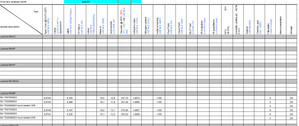

This is the REPORTED_VALUE column with horizontal alignment set to General.
As you can see, most values are left-aligned, indicating that they are text values.
Select the data, then click Text to Columns on the Data tab of the ribbon.
Click Finish without changing any settings.
The values are now right-aligned, indicating that they are real numbers.
Switch to the other sheet.
Click on the value field in the PivotTable Fields task pane and select Value Field Settings... from the popup menu.
Change the summary function from Count to Sum, then click OK.
On the PivotTable Analyze tab of the ribbon, click Refresh.
To make the columns narrower:
Select the column labels B2:J2.
On the Home tab of the ribbon, in the Alignment group, change the text direction to Rotate Text Down:
Adjust the column widths of columns B:J.
Activate the Design tab of the ribbon, to the right of the PivotTable Analyze tab.
Set the various options the way you want.
In the attached version, I turned off subtotals and grand totals, and changed the Report Layout to Tabular. You can choose a different setup of course.
