Forum Discussion

Latest update of Word has changed my doc format. print layout not working
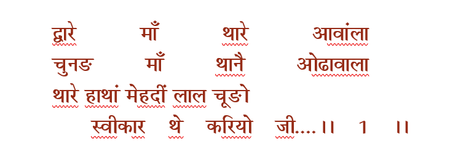

The screenshots show a difference in line spacing across the page, but don’t establish that Print Layout itself is broken. With normal justification, Word leaves the last line of a paragraph left-aligned.
Save a backup first, then select Home > ¶ to show formatting marks. Check whether the line that won’t stretch ends with a paragraph mark or section break. Shift+Enter before a paragraph mark can leave an extra blank line, so avoid adding more breaks to force the alignment.
If you want every line, including the last, to span the full width, test Ctrl+Shift+J (Distributed alignment) on just one affected paragraph. Unlike ordinary justification, it stretches the last line too. Check the Hindi character spacing carefully before applying it elsewhere.
Keep the existing document rather than copying the whole book into a new one, since that can change section formatting and styles.