Forum Discussion

Richard_Skorupski
Feb 20, 2024Copper Contributor
Inconsistent number of lines on document pages.
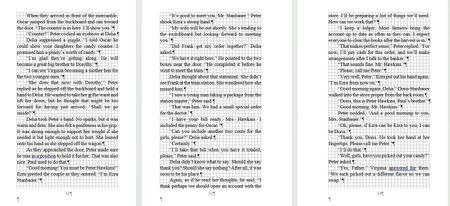
I sent in a Word document to a printer for proof copies. When I got them, the pages had an inconsistent number of lines. Some pages were 27 lines long, while others were 28 and 29 lines long. There ...

Richard_Skorupski
Feb 23, 2024Copper Contributor
So, how do I turn it off? I unclick it in paragraph settings and tell it to set that as a default. It asks me if I want the default for this document or for all documents. I have tried "this document only" and "all documents".
It keeps coming back! I go forward one page and go back to the same spot, and the Widows and Orphans box is dark (highlighted) again!
Is there a way to kill this setting throughout the document and keep it killed? I feel like I'm in a Sci-Fi movie with an evil thing that can't be killed.
It keeps coming back! I go forward one page and go back to the same spot, and the Widows and Orphans box is dark (highlighted) again!
Is there a way to kill this setting throughout the document and keep it killed? I feel like I'm in a Sci-Fi movie with an evil thing that can't be killed.

Feb 23, 2024
Richard_Skorupski Modify the Paragraph Formatting in the Style by setting the required option and then before dismissing the Modify Style button, select the "New documents based on this template" option.
- Richard_SkorupskiFeb 24, 2024Copper ContributorSetting a new style did the trick. Thank you! I think we licked it this time!
- Charles_KenyonFeb 24, 2024Bronze Contributor
Styles are one of the magic keys to using MS Word!
