Forum Discussion

Richard_Skorupski
Feb 20, 2024Copper Contributor
Inconsistent number of lines on document pages.
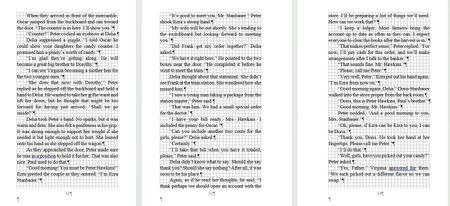
I sent in a Word document to a printer for proof copies. When I got them, the pages had an inconsistent number of lines. Some pages were 27 lines long, while others were 28 and 29 lines long. There ...

Feb 20, 2024
Richard_Skorupski See:
http://wordfaqs.ssbarnhill.com/BottomLine.htm
If you cannot get it sorted out, upload a copy of the document so that we can take a look at the issue.
 Richard_SkorupskiFeb 22, 2024Copper Contributor
Thank you. It was a fight to get Word not to do what it wanted to do. However, following your instructions, I got the line length consistent.
This default "widows and orphans" setting must be something now or something in 365. I didn't have that trouble with MS Office 2016.
Your link was just the information I needed to fix my novel. I am going to save the link to my "nuts and bolts" bookmark.Again, Doug, thank you for the help.
Richard Skorupski - Author
- Charles_KenyonFeb 22, 2024Bronze ContributorWidow and orphan default setting has been there since at least Word 97.
- Richard_SkorupskiFeb 23, 2024Copper ContributorSo, how do I turn it off? I unclick it in paragraph settings and tell it to set that as a default. It asks me if I want the default for this document or for all documents. I have tried "this document only" and "all documents".
It keeps coming back! I go forward one page and go back to the same spot, and the Widows and Orphans box is dark (highlighted) again!
Is there a way to kill this setting throughout the document and keep it killed? I feel like I'm in a Sci-Fi movie with an evil thing that can't be killed.
