Forum Discussion

Default search scope in "find and replace"
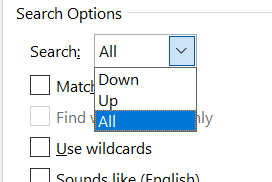

Which version of Word are you running? In Word for Windows, "All" is the default in the Find & Replace dialog box. If you have recently changed the setting, in a previous search, you can exit and restart Word to restore the default.
 Berliner77Apr 17, 2026Copper Contributor
Thank you for your answer. So, you are correct, turns out I was doing one other thing before ctrl+h which seems to break the "all"-default: I usually replace by selecting the word or number I need to replace so it automatically shows up in the "find what" field. Apparently this cancels the default. I know I can manually copy the word, deselect it and then paste it in the window, but that wouldn't be more efficient than manually selecting "all". Might there be a way to enjoy the automatic copy-and-paste while keeping the "all" default?