Forum Discussion

SEBA_RO
Feb 23, 2025Copper Contributor
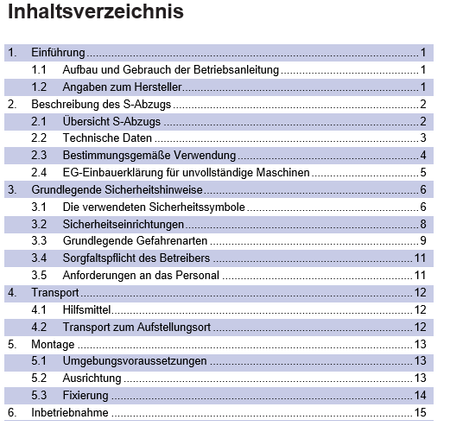
Adding background color every second paragraph in an MS Word TOC
Hi, I recently converted a PDF file originally designed in InDesign to an MS Word file. The TOC had a background color set for every second paragraph. Since I found no automatic solution to thi...

Kidd_Ip
Jul 14, 2025MVP
How about using Manual Paragraph Shading.
Since TOC entries are just regular paragraphs once generated, you can manually apply background color to every second paragraph:
- Select every second paragraph and use Paragraph → Shading in the “Design” tab.
- To speed it up, create a custom style (e.g., "AltTOCHighlight") based on TOC1 or TOC2, but with added shading. Then apply it manually to selected lines.

SEBA_RO
Jul 21, 2025Copper Contributor
Since TOC02 is already a style, I am not sure MS Word can accept two different styles for level 2 headings. Unless I set a different style for all heading 2 levels that will need a shadow.