Forum Discussion

Windows Update not found in settings
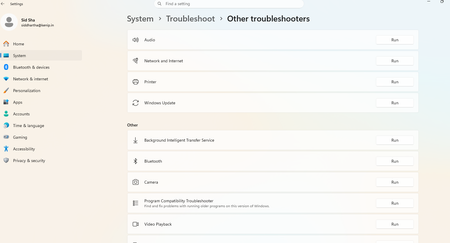

This usually happens when Windows Update is disabled by policy, corrupted, or missing from the Settings app due to system issues. You can try restarting your PC first, then run “services.msc” and check if Windows Update service is running. If it’s disabled, set it to Automatic and start it. If it still doesn’t appear, running the System File Checker (sfc /scannow) or resetting Windows Update components can help restore it.
- Sids11May 09, 2026Brass Contributor
I did set it to automatic after starting it but the windows update option is still unavailable in settings.
- Sids11May 09, 2026Brass Contributor
I found the setting and I enabled it and set it to automatic but still the windows update option is not available in settings. Please suggest.
- Sids11May 08, 2026Brass Contributor
I found the windows update option in the services.msc and started it also set it to automatic but it still doesn't appear in my settings tab.
