Forum Discussion

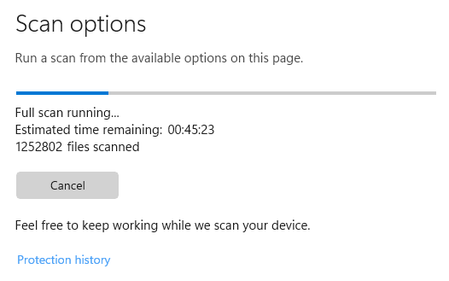
Windows Security hangs on Full Scan?

Hope you are doing well, I wish to help you with this issue!
Wondering if you are able to run a Windows Offline Scan and if it works?
Are all your Security Updates in order and Windows is all up to date?
https://support.microsoft.com/en-us/windows/help-protect-my-pc-with-microsoft-defender-offline-9306d528-64bf-4668-5b80-ff533f183d6c#:~:text=How%20do%20I%20use%20Microsoft%20Defender%20Offline%201,Defender%20Offline%20scan%2C%20and%20then%20select%20Scan%20now.
Thank you!
God bless,
Shawn

Deleted Reza_Ameri so weird... I just completed a Full Scan successfully with Malwarebytes Premium also running in the background. I was also actively using my PC; web browsing, Spotify and a bit of file copying. I'm not really sure what could have caused the scan to be successful? Could it be a Windows 11 power usage thing? - because like I said before, I would always come back to a hung scan if the PC had become idle etc. My rig never sleeps but the system does lock after 10 minutes of inactivity I think. I know the monitor sleeps after 20 minutes.
I think I need to do some more testing but I don't think anything is broken as such? - which is a good thing 
 Reza_AmeriSep 04, 2023Silver ContributorThank you for the update, please do the scan and tell us about your findings.
- DeletedSep 04, 2023Did you set the settings to not put it to sleep in windows and run the offline scan?
- slipdSep 09, 2023Brass Contributor
Deleted no, no changes to power management, but I was continually using my PC whilst the scan took place.
I still haven't looked at the Offline Scan.
- DeletedSep 09, 2023interesting, I found this the other day that if thee open Windows + R, enter in MRT and press enter, say yes... try that one and see if it works?
Or for now, do the offline scan and report the issue to Feedback Hub!
Thanks,
Shawn