Forum Discussion

ArthurZhang
Sep 07, 2026Iron Contributor
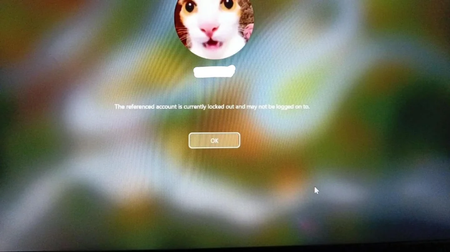
Windows locked me out with the correct password – worked again after a restart
I turned on my laptop today and was hit with a Windows message saying: “The referenced account is currently locked out and may not be logged on to.” I entered my usual password—which I'm absolutely s...

SarahWilson1
Sep 07, 2026Brass Contributor
That message means the account was locked, so even the correct password would be rejected. Restarting may simply have taken long enough for the lockout period to expire; it does not prove the restart cleared it.
You can check the logs:
- Press Win + R, enter eventvwr.msc, and open Windows Logs > Security.
- Select Filter Current Log and enter 4740,4625.
- Look around the time of the lockout. 4740 records an account lockout and may identify the caller computer. 4625 records failed logons; check the account name, failure reason, source address and process information where available.
A service, scheduled task or another device using an old password can cause repeated failures, but only if it is authenticating against that account. Failed attempts immediately before the lockout are more useful than failures recorded after it.