Forum Discussion

Windows audio completely broken – no output devices found and duplicate SoundWire entries everywhere
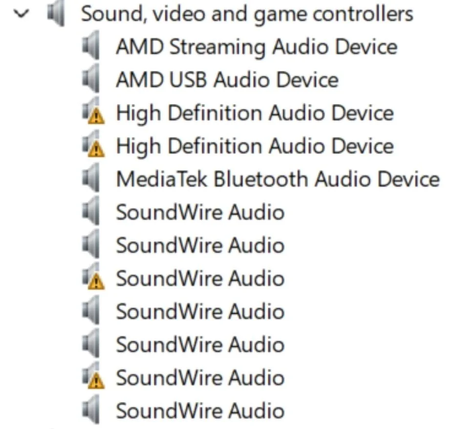

The warning symbols in your screenshot are more useful than the repeated SoundWire names: several devices can share a friendly name, so deleting entries indiscriminately is not a reliable repair. Open Properties for each warning-marked device and record its exact Device status code, hardware IDs, and driver version. Those details distinguish a device that cannot start from a missing or incompatible driver. Because service restarts and generic driver removal already failed, obtain the audio packages recommended for your exact Dell model and Windows version, following any chipset prerequisites listed by Dell. Microsoft's missing-audio guidance specifically recommends the manufacturer's driver when Windows cannot detect an output device. Restart and check whether an output endpoint appears under System, Sound. Avoid third-party driver cleaners or installing random SoundWire packages. If the warnings remain, provide Dell with the collected codes and versions; the screenshot alone cannot establish a single driver conflict or hardware failure