Forum Discussion

Windows 11 Why is there a tiny 2-pixel selection edge on folder path bar
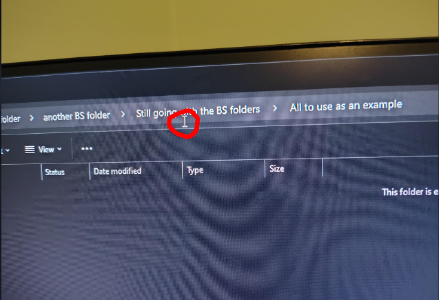

What you are seeing is part of File Explorer’s breadcrumb address bar. Each folder name is a separate clickable segment, while the thin space around or between segments belongs to the address bar itself. Clicking that area switches the breadcrumb path into editable text mode, so the full path becomes selected instead of opening the folder.
There is no supported Windows 11 setting to remove or resize that hit area. The practical workaround is to click the centre of the folder name rather than the separator, or use Alt + Up Arrow to go to the parent folder without using the mouse.
If the clickable area seems wider than the small gap shown in the screenshot, check that Settings > System > Display is using the recommended resolution and scale, then restart File Explorer. That can correct a display-scaling or hit-testing issue, but it will not remove the normal address-bar editing behaviour.