Forum Discussion

Rscocca
Oct 02, 2021Copper Contributor
Windows 11 upgrade download stops at 8% then goes back to update screen
System past check and is ready to upgrade to windows 11. When I attempt to download, the download will stop at 8% then goes back to update screen. I have deleted the Distribution file 3 times, this...

Ian Mann
Jul 03, 2022Copper Contributor
Deleted Defender Tampering Restore Removed

Deleted
Jul 04, 2022Do you download updates for apps directly from the Microsoft Store?
Have you downloaded the latest drivers from your PC manufacturer's website?
- Ian MannJul 28, 2022Copper Contributor
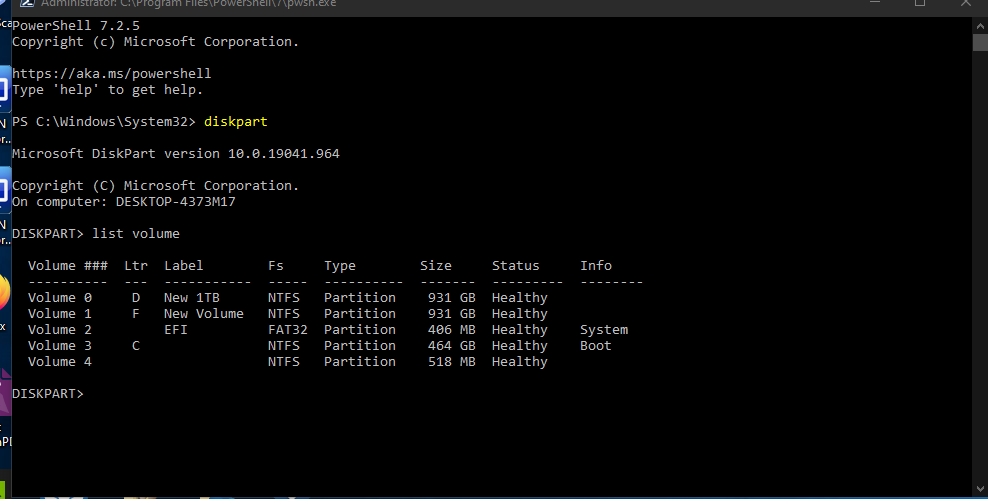
get error - CHostIsUEFICompliantChecker failed. [Failed to check whether host has UEFI disk layout.] HRESULT = 0x80070003[gle=0x00000001]
But C: drive IS GPT and UEFI and system information says BIOS Mode UEFI. - Ian MannJul 04, 2022Copper ContributorNo extenal drives - have a web cam, disconnected that and it made no difference.
- DeletedJul 04, 2022
Surely you have external drives connected, or other devices permanently to your computer -> it looks like disconnecting this, restarting and trying to update has a chance of success.
- Ian MannJul 04, 2022Copper ContributorThanks - The PC is on 24/7 except for some restarts occassionally.
- DeletedJul 04, 2022sometimes restarting your computer every 2 hours can help.
- Ian MannJul 04, 2022Copper ContributorI just think that my version of Windows 11 is not ready yet.
- Ian MannJul 04, 2022Copper ContributorAll drivers are up to date. Updates from store for most apps/software.