Forum Discussion

Windows 11 upgrade download stops at 8% then goes back to update screen

It is July 3rd now and the issue still remains, download stops at 8% for "windows 11 upgrade" via windows update, "some files missing" message still displays. Tried all the solutions suggested. Don't want to put a new c drive in and do aclean install and lose all my apps.
- Ian MannJul 28, 2022Copper Contributor
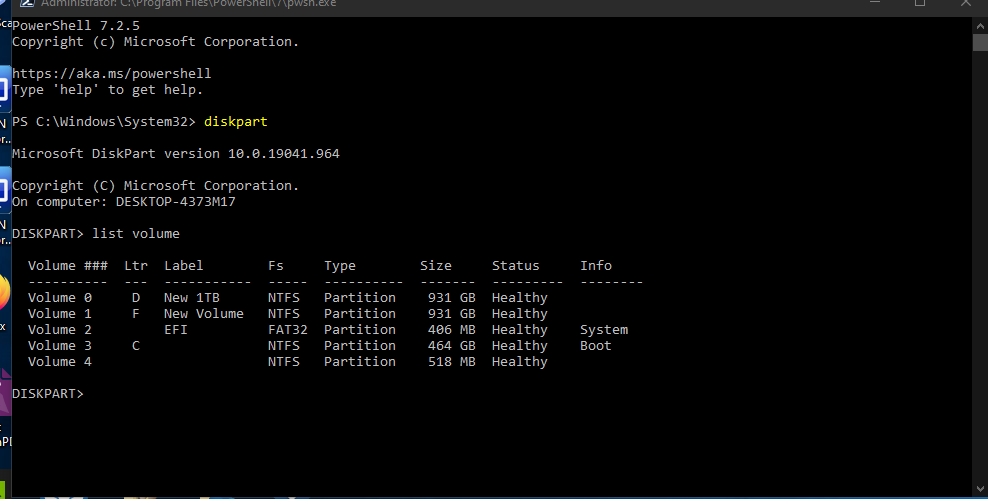
get error - CHostIsUEFICompliantChecker failed. [Failed to check whether host has UEFI disk layout.] HRESULT = 0x80070003[gle=0x00000001]
But C: drive IS GPT and UEFI and system information says BIOS Mode UEFI. - Ian MannJul 04, 2022Copper ContributorNo extenal drives - have a web cam, disconnected that and it made no difference.
 AnonymousJul 04, 2022
Surely you have external drives connected, or other devices permanently to your computer -> it looks like disconnecting this, restarting and trying to update has a chance of success.
- Ian MannJul 04, 2022Copper ContributorThanks - The PC is on 24/7 except for some restarts occassionally.
- AnonymousJul 04, 2022sometimes restarting your computer every 2 hours can help.
- Ian MannJul 04, 2022Copper ContributorI just think that my version of Windows 11 is not ready yet.
- Ian MannJul 04, 2022Copper ContributorAll drivers are up to date. Updates from store for most apps/software.
- AnonymousJul 04, 2022
Do you download updates for apps directly from the Microsoft Store?
Have you downloaded the latest drivers from your PC manufacturer's website? - Ian MannJul 03, 2022Copper Contributor
Deleted Defender Tampering Restore Removed
- AnonymousJul 03, 2022
Hi Ian Mann
https://www.microsoft.com/security/blog/2012/11/15/microsofts-free-security-tools-microsoft-safety-scanner/#:~:text=The%20Microsoft%20Safety%20Scanner%20is%20a%20free%20stand-alone,with%20the%20latest%20signatures%2C%20updated%20multiple%20times%20daily.
Please do a full scan with this Microsoft product, write if anything detected?