Forum Discussion

Windows 11 Printer Issue - DYMO LW450 DUO is not installing correctly/entirely
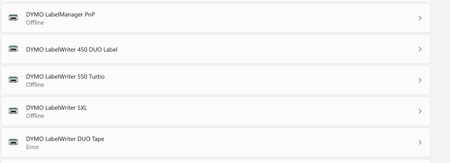

Since yesterday I got it running.
System: Win11 21H2
First I installed the Dymo Software Dymo Label v.8.7.4.48936 for the LW 450 Duo.
After that I was able to print labels but unable to print tapes. So I decided to install the DCD Software 1.3.2.18 as described to be compatible with win11 in the compatibility chart.
Inadvertently I started the Dymo Label v.8 Software again and thats it. Both drivers were available and working. Now I can print labels and tapes at the same USB Port with only one printer. Just like it was a year ago with win10.
It's a bit like magic and unexplainable, but works fine even if I don't know how. 
Hope you can solve your issues too...
Michel

Tonmichel, Can you add some screenshots, please? Looking for the device manager list for printers and printer queues. Also, would like to see screenshots of the two DYMO programs running and seeing both drivers. And one more of the print management MMC showing the drivers, ports, and printers.
thank you for the help.
PS: DYMO and Microsoft are both ridiculous for not fixing this problem.
- TonmichelOct 21, 2022Copper ContributorI am so sorry... I found two different drivers from my old device, the older LW 400 Duo and deleted it. No it ain't working anymore... I'll try to fix it and be back on monday...
Sorry for that guys...
Have a nice weekend. larrylagOct 22, 2022Tin ContributorWell folks. I think I had it win 11. An app I have been using for years won't install which is MS digital Image. Besides the Dymo, my Epson scanner app doesn't work correctly. Now my PC came with win 11 on it so I can't go to Recovery to win 10 so I have to do a fresh install. Does anybody know where I can get a copy of win 10 that will install without a lot of fan fair?
 carlo143Oct 23, 2022Tin ContributorWell, since I need this so-called premium product on a weekly basis, I now have to switch from Windows 11 to Windows 10 and today to Windows 8, what madness.
I suspect that Dymo and Microsoft have made a joint agreement to increase their implementation so you have to buy new hardware, I also had to technically convert my computer to Windows 11 hardware