Forum Discussion

Damkoin
Feb 21, 2025Iron Contributor
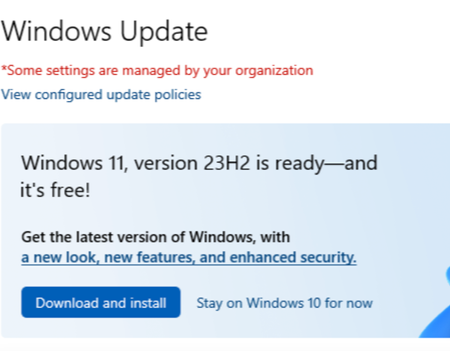
Why only Windows 11 23H2 is available? Not the 24H2
I tried to upgrade my Windows 10 PC but the upgrade assistant only offers 23H2 not the latest 24H2. Why?

WolfGangg
Dec 11, 2025Iron Contributor
Windows 11 24H2 is not showing up because Microsoft is rolling it out in phases. Even if your device is fully compatible, Windows Update may hold back 24H2 until:
- Compatibility checks pass – Microsoft uses “safeguard holds” if your hardware or drivers have known issues with 24H2.
- Rolling update waves – 24H2 is released gradually, so some devices simply haven’t been placed in the next rollout group yet.
- Policy restrictions – If your PC shows “Some settings are managed by your organization,” a group policy or registry setting can also delay feature updates.
This is normal.
23H2 is the latest version offered to your device today, but 24H2 should appear automatically once Microsoft lifts the safeguard for your hardware.
If you want 24H2 sooner, you can check these items:
- Make sure Windows 10 is fully updated before upgrading.
- Remove any third-party antivirus or old drivers that may block the update.
- Ensure no feature update deferral policies are set (Group Policy / Registry).
- You may also install 24H2 manually using the official ISO once Microsoft marks your device as eligible.