Forum Discussion

Why Can't I Copy the Text of an Error Message in Windows 11?
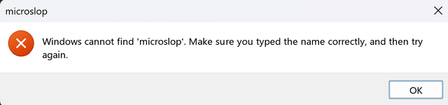

For errors produced by Windows components, the exact text is often available somewhere more reliable than the dialog. Open Reliability Monitor, select the failure at the matching time, and use View technical details; those fields can be selected and copied. Event Viewer also lets you use Copy > Copy details as text on a matching event, which preserves error codes that OCR can misread. When the application uses a custom, non-selectable window, press Win+Shift+S, capture only the dialog, open the capture in Snipping Tool, and use Text actions > Copy all text. Paste into Notepad and compare file names, hexadecimal codes, and punctuation against the screenshot before posting it.
It would still be better for every dialog to expose a Copy details control. A useful Feedback Hub report should name the specific app and dialog, because standard Windows message boxes and custom application dialogs use different controls. Include a screenshot and state that keyboard focus plus Ctrl+C produced no clipboard text; that gives the owning team a reproducible accessibility issue rather than a general request.