Forum Discussion

White Stripes Appear in File Explorer After a Fresh Installation of Windows 11
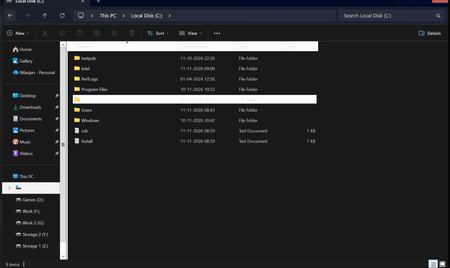

Your screenshot shows white column headers, selection backgrounds, and a scrollbar inside an otherwise dark Explorer window. That is broader than a single extra menu bar, so the missing Internet Explorer toolbar value is not evidence that you need to create it. Record the Windows build. In Settings > Personalization > Colors, switch temporarily to Light, close Explorer, and reopen the same folder. Also check Settings > Accessibility > Contrast themes; if you do not intentionally use one, select None and Apply. Compare the result before making further registry changes. Install applicable Windows updates and recommended display-driver updates through Windows Update, then retest both color modes. If the mismatch occurs only in Dark mode, Light mode is a temporary workaround. Report the reproducible difference in Feedback Hub with the screenshot and build number. The image alone cannot establish a specific driver defect or a guaranteed registry fix.