Forum Discussion

What is this random grey bar at the bottom of my screen – and why won't it go away?
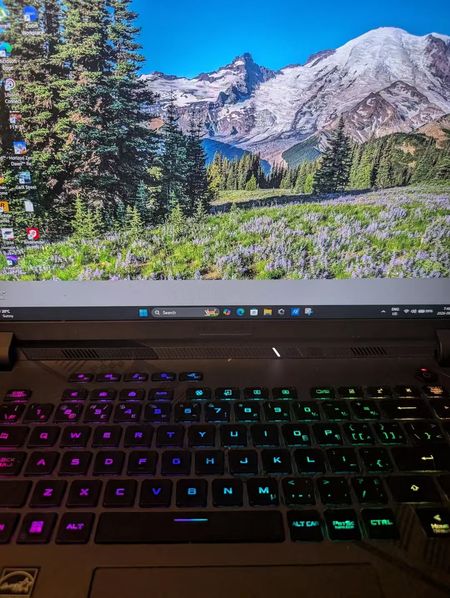

The photo shows the grey area above the taskbar, and your observation that application windows cover it normally makes the desktop background a sensible first test. It is not enough evidence to diagnose a failing GPU or display panel. Open Settings, Personalization, Background and temporarily select Solid color. If the strip disappears, switch back to Picture, choose a different image, and set Choose a fit to Fill. Microsoft documents that Fit and Center can leave uncovered areas when the image and screen dimensions differ. Also open the original wallpaper in Photos to check whether the strip is part of the image itself. If it remains with a solid background, capture it with Snipping Tool and compare that capture on another display. Report whether it appears inside application windows too; that distinction determines whether to investigate the desktop presentation or the wider display path.

Mine is doing the same since this morning, but the bar extends over the task bar.