Forum Discussion

AustinKim
Sep 11, 2026Steel Contributor
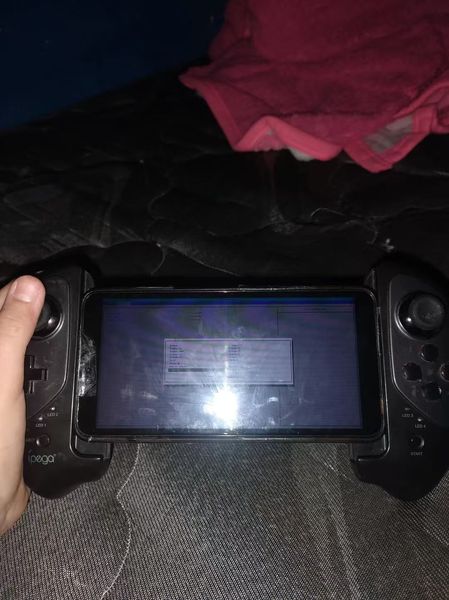
Stuck in BIOS on my Windows 11 portable console – touchscreen only
So I was messing around with my Windows 11 handheld console and somehow ended up in the BIOS. Now I can't get out. The only input that works is the touchscreen, and none of the usual exit options see...

AustinKim
Oct 14, 2026Steel Contributor
I had a similar issue when I needed a cleaner that could remove leftover files and privacy traces without manually checking every location. PrivaZer focuses on deep system cleaning and privacy cleanup, making it a useful option when normal cleaners do not remove enough unnecessary data.
This method works as a best alternative to BleachBit because PrivaZer scans more areas of the system, helping remove temporary files, browser traces, and unused data that can take up storage space.
What This Method Provides
- Removes system leftovers, temporary files, and activity traces.
- Clears browsing history and other stored traces.
- Helps recover space from unnecessary files.
How to Use PrivaZer
- Open PrivaZer and select the type of device or storage location you want to clean.
- Check the scan results and choose which categories of files or traces you want to remove.
- Start the cleaning process and allow PrivaZer to remove the selected data.
PrivaZer can be a best alternative to BleachBit for deeper cleanup, but removing some data may affect saved browser information or application settings, so reviewing the cleanup list before deleting is recommended.