Forum Discussion

BrantZhao
Sep 14, 2026Iron Contributor
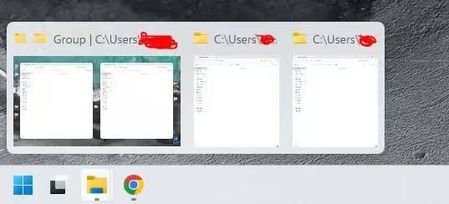
Snapped window group only opens one side – the other stays minimized
I use the snap window feature constantly—drag one folder left, another right, split screen. That part still works fine. The problem is when I'm in another app (like Chrome) and I try to switch back t...

VictorNet
Sep 14, 2026Tin Contributor
Try opening Settings, System, Multitasking, confirm Snap windows is on, then turn on the option that shows your snapped windows when you hover taskbar apps, in Task View, and with Alt+Tab. After that, hover the File Explorer icon and click the grouped thumbnail rather than either window on its own. If it still splits, a quick restart of Windows Explorer from Task Manager, or toggle Snap windows off and back on.