Forum Discussion

vidotmkpa
Aug 23, 2025Iron Contributor
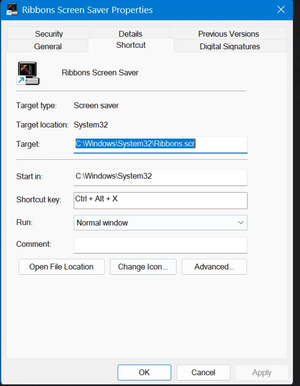
Since Updating Nvidia driver, shortcut keys to screensaver inoperative ...
Hi All - I wasn't sure where to put this, or if this is even a Win 11 problem, but here it is: I updated my Nvidia RTX 3060 12GB video graphics driver today, as my video editing program, DaVinci Res...

Skyler-B
Aug 24, 2025Iron Contributor
Based on your description, this is almost certainly an Nvidia driver problem.
A recently updated graphics driver is the direct cause, and it's a common issue where new drivers can interfere with system-level functions like hotkeys and screen blanking.
Quick Fixes to Try:
Roll back the Nvidia driver in Device Manager to the previous version that worked.
Perform a clean installation of the latest Nvidia driver using the "Custom" option in GeForce Experience or the installer, checking the "Perform a clean install" box.
Check the Nvidia Control Panel for a setting called "Desktop > Enable Desktop Menu" and ensure it is turned on, as this can affect hotkey functionality.